Business meetings: live voting on motions
Business meetings run an ecclesial meeting with live voting on motions. A meeting holds an ordered agenda of motions; the chair opens one at a time; eligible members join from their phones, move and second motions, and vote For, Against or Abstain. The result goes up on a projector as it is decided, and the whole meeting exports as a minutes PDF.
Who does what: an administrator turns the feature on and creates meetings; the chair (the person named when the meeting is created, or any administrator) builds the agenda and runs the meeting; every eligible member votes. Ballots are secret by default — the server stores who voted and what was voted in two places that are never joined, and no one can vote on anyone else’s behalf.
Reading time: about five minutes.
Switch the feature on
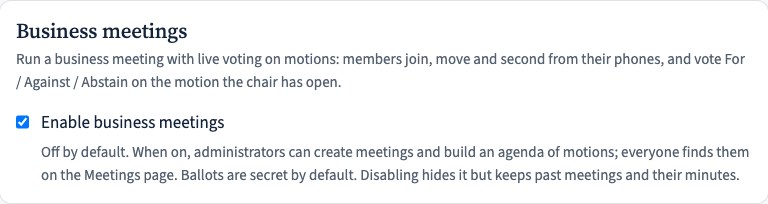
Business meetings are off until an administrator enables them: Manage → Settings → Business meetings. Once on, a Meetings entry appears in the top navigation for every member. Switching it off later hides the feature but keeps past meetings and their minutes.
Create a meeting
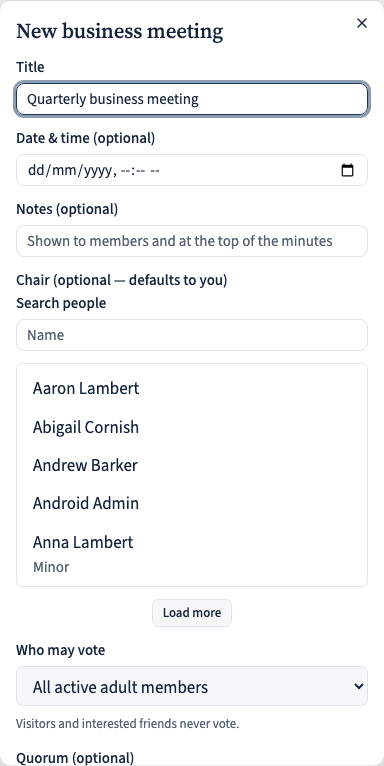
From Meetings, an administrator clicks New meeting and sets it up:
- a title, an optional date & time, and optional notes (shown to members and printed at the top of the minutes);
- the chair — whoever will run it (defaults to you);
- who may vote: all active adult members, only those recorded as baptised, or members holding a particular qualification. Visitors and interested friends never vote;
- an optional quorum (the number present that makes the meeting quorate), and whether to allow absentee voting — off by default, so a meeting is in person unless you turn it on.
Build the agenda of motions
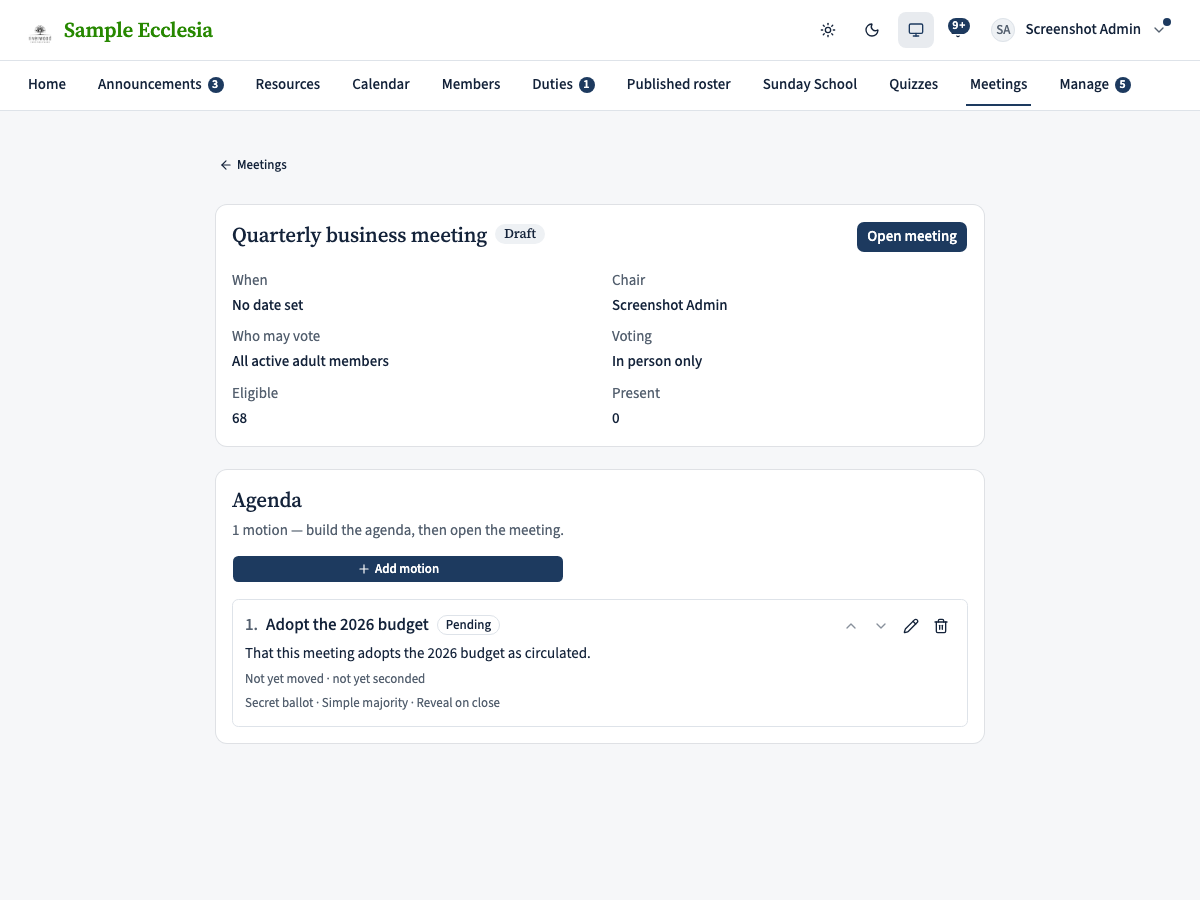
On the meeting page, the chair adds a motion for each item of business with Add motion: a short title, the full wording as it will be minuted, and — if you already know them — the mover and seconder (pick a member or type a name for someone without a phone; members can also do this themselves from their own device during the meeting).
Each motion chooses its own rules: a secret ballot (the default) or a show of hands where the chair can later see who voted which way; whether it carries on a simple majority or needs two-thirds; and whether the tally is revealed only when the motion closes or shown as a running tally (which appears once at least five votes are in). Drag the arrows to reorder motions, and edit or remove any while the meeting is still a draft.
Open the meeting and run it from the chair console
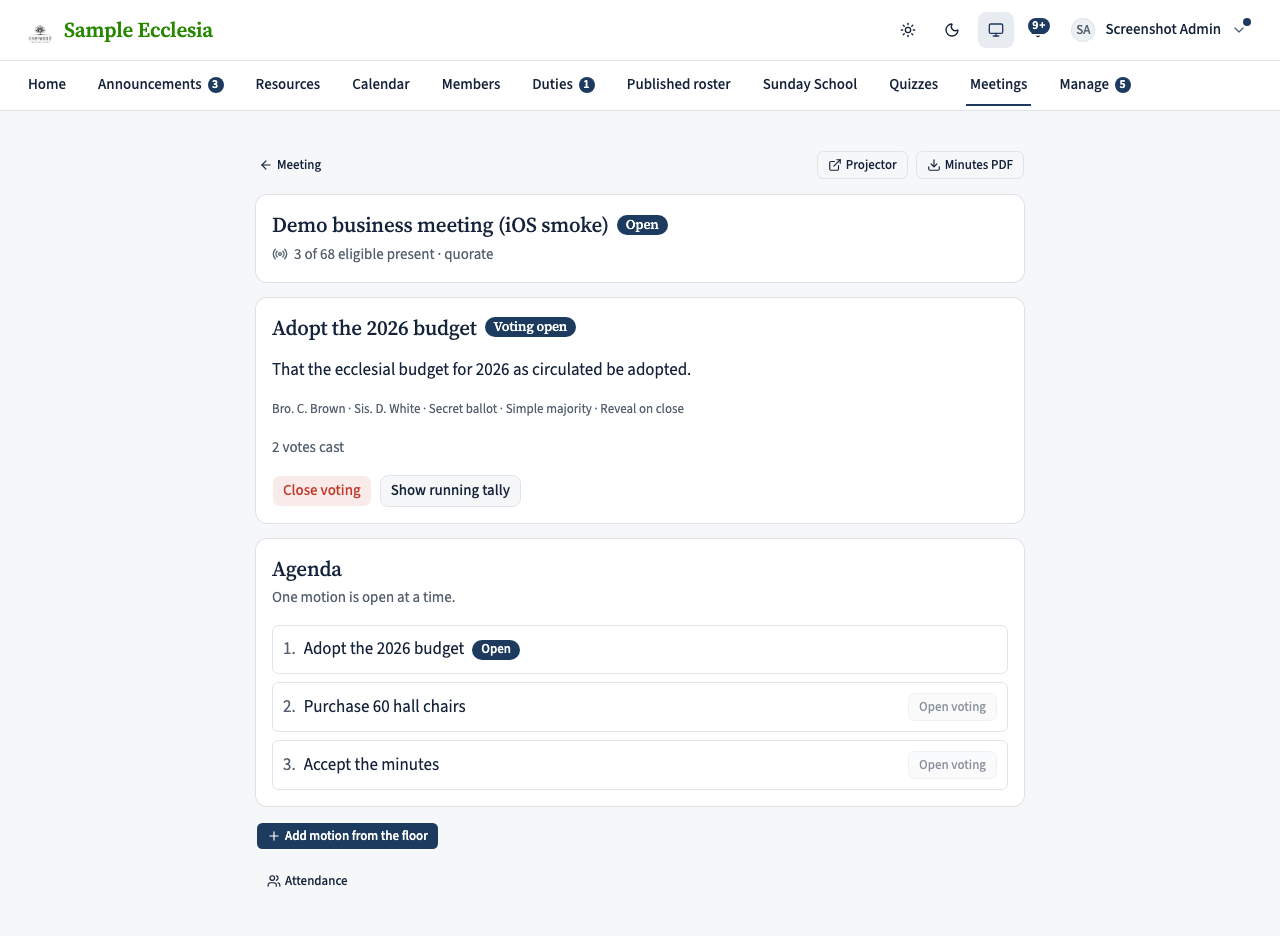
When the agenda is ready, the chair clicks Open meeting. That notifies every eligible member (“Business meeting open”) and opens the chair console. From the console the chair runs the meeting live:
- Open voting on a motion once it has been moved and seconded — only one motion is open at a time;
- watch the votes cast tick up, and switch an open motion to a running tally if you want the room to see the split;
- Close voting to decide it — the outcome is settled the moment it closes;
- mark someone present, see the attendance list, read the roll on a show-of-hands motion, add a motion from the floor, and download the minutes PDF at any time.
The present and quorum counts, and “quorate”, count eligible attendees only.
Members join, move, second, and vote
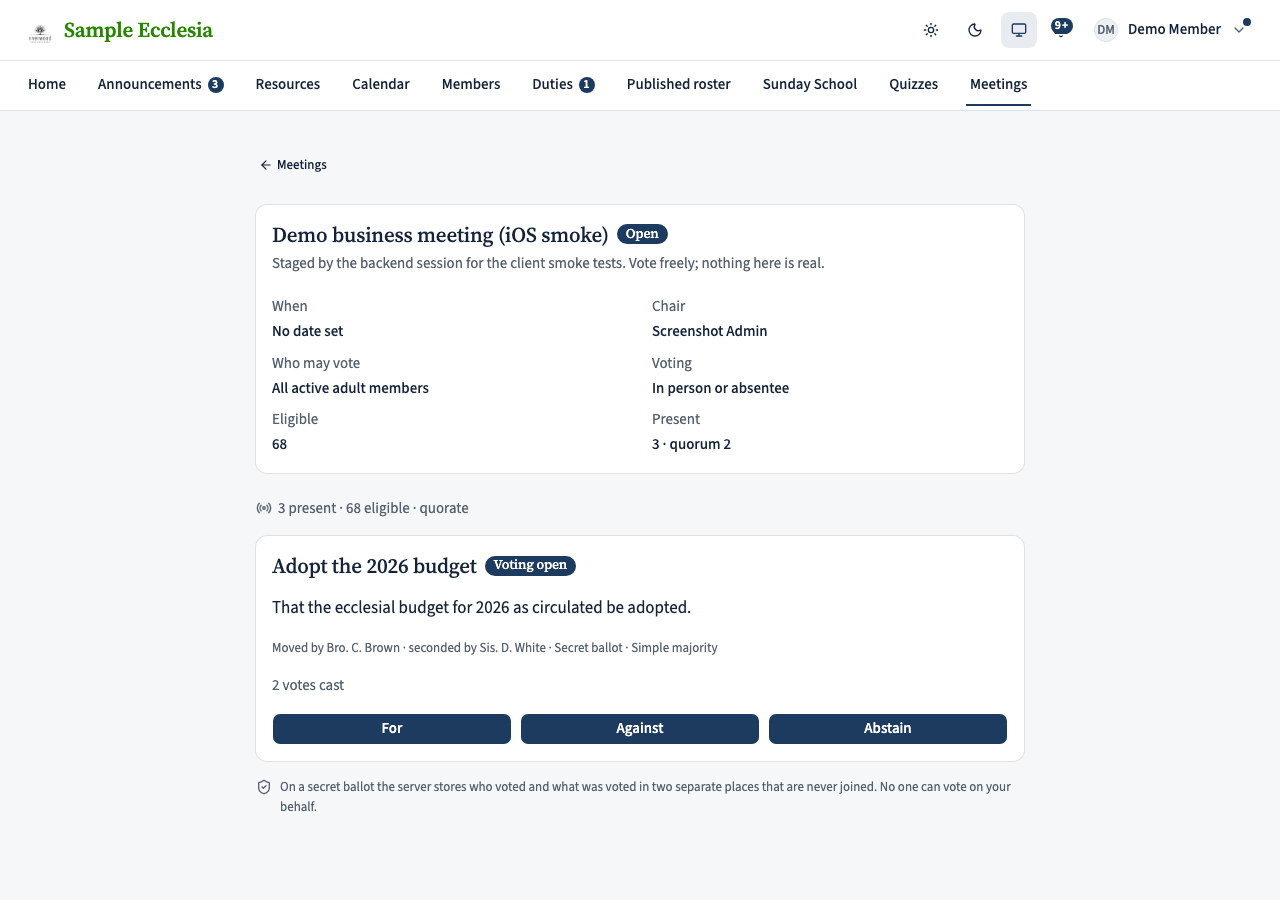
A member opens Meetings (or taps the push notification) and lands on the meeting. Opening it joins them — that is the attendance mark. While a motion is waiting, eligible members can tap Move or Second. When the chair opens voting, the three choices appear; tap one and it is recorded — “Your vote is recorded”. A vote is final.
Members who are not eligible to vote (visitors, children, anyone outside the meeting’s rule) see the motion but no vote buttons, with a one-line explanation of why. If absentee voting is on, an eligible member who hasn’t joined can still vote; their vote counts but they are not counted as present.
Put the result on the big screen
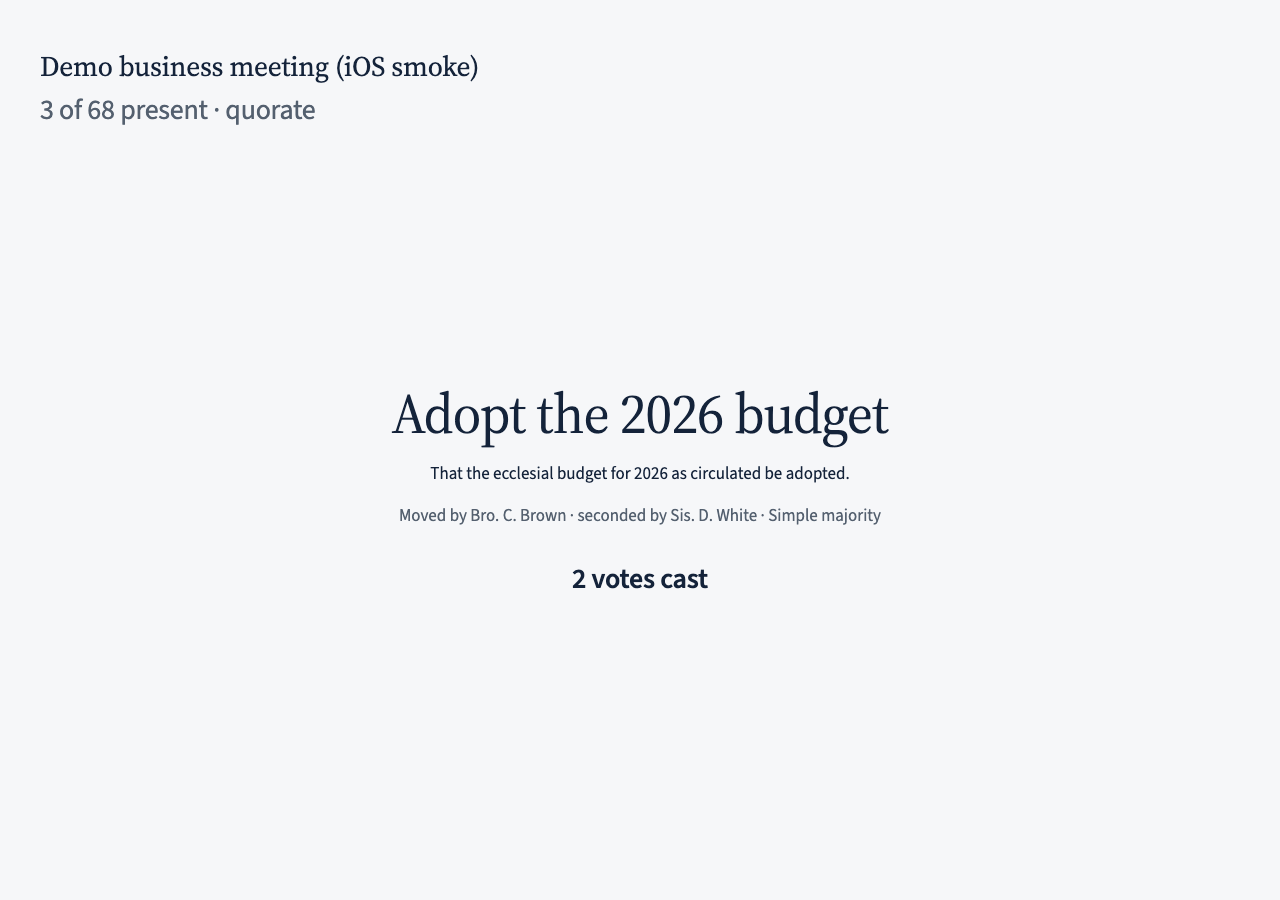
From the console, Projector opens a clean full-screen tab for the hall display: the meeting title, “N of M present” with the quorum, and the current motion’s title, wording and mover/seconder. While voting is open it shows how many have voted; when the motion closes it shows the tally with a big CARRIED or LOST, and keeps that result up until the next motion opens. No voter’s name ever appears on the screen.
Closing the meeting and the record
When business is done the chair clicks Close meeting. Each closed motion keeps its tally, its outcome, and the eligible and present counts at the moment it closed. The minutes PDF is the official record: the meeting, when it ran, the chair, who was eligible and present, and every motion with its wording, mover and seconder, the For / Against / Abstain tally, and CARRIED or LOST. A secret ballot keeps nothing else; the show-of-hands roll stays inside the app for the chair.
Not in this version: elections and preferential ballots (motions only), proxy votes, and guest voting. A closed motion cannot be reopened — table it again as a fresh motion.