Management positions: coordinators, superintendents, admins
Management positions is where you see and change who in your ecclesia holds a privilege beyond an ordinary member — your coordinators, Sunday School superintendents, and administrators. It answers “who can do what” at a glance, and it’s where you grant or withdraw those privileges.
It’s administrator-only, and it lives under Manage, in the Administrator section.
One thing to be clear on before you start, because the names collide: a position here is a tenant privilege — what a person is allowed to do in CDRoster. It is not a roster duty. “Reader”, “Chairman” and “Speaker” are roster roles managed elsewhere (Manage → Roles); those decide who gets scheduled for what. Management positions decide who can build the roster in the first place.
Reading time: about four minutes.
Open Management positions
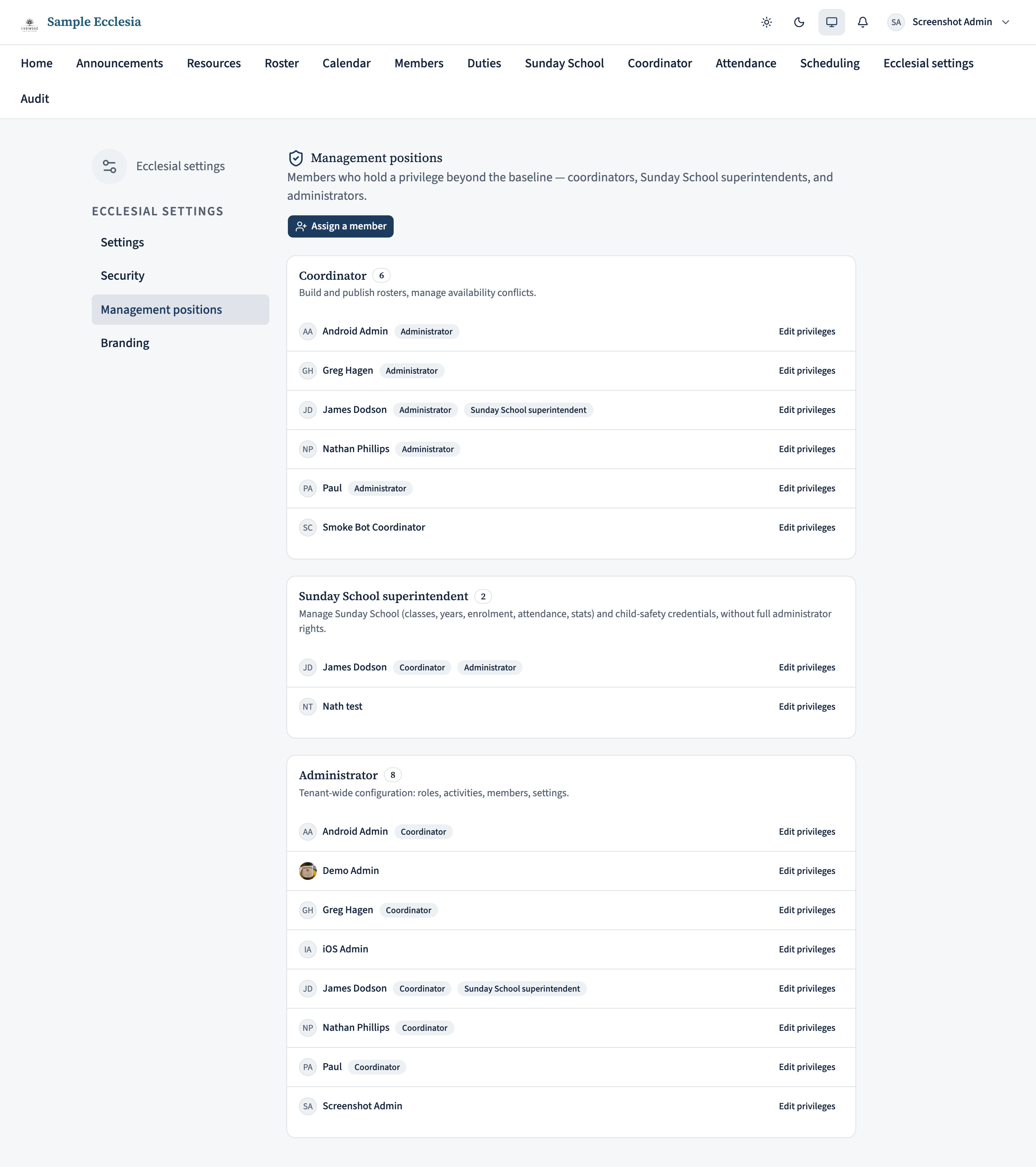
Go to Manage and choose Management positions from the side menu. You’ll see a section for each position, with the members who hold it and a count. A vacant position still shows, so you can tell at a glance that, say, nobody is currently a superintendent.
Someone can hold more than one position — a coordinator who is also an administrator appears in both sections, with their other positions shown as badges beside their name.
What each position can do
The three positions, from narrowest to widest:
- Coordinator — builds and publishes rosters and manages availability. This is the operational role: the people who do the scheduling week to week. They can’t change ecclesia-wide settings.
- Sunday School superintendent — runs Sunday School end to end (classes, years, enrolment, attendance) and manages the working-with-children credentials, without full administrator rights. Give this to whoever oversees Sunday School so they don’t need to be a full administrator.
- Administrator — the widest: everything above, plus ecclesia configuration — members, activities, settings, and these very positions. Keep this list small; an administrator can change anything, including removing other administrators.
Every member always has the baseline member access (their profile, the directory, their roster). That isn’t a position and doesn’t appear here.
Give someone a position
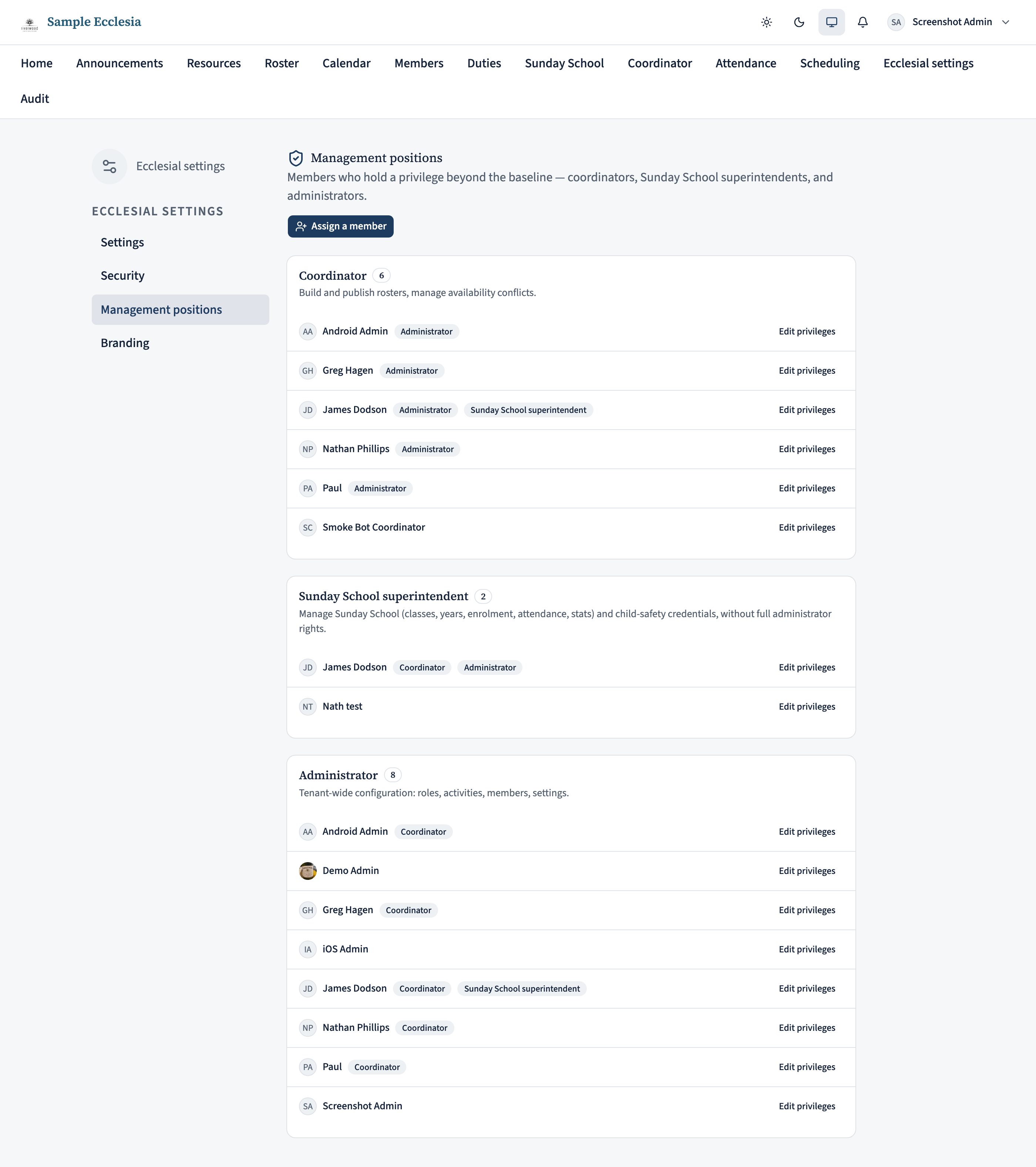
Click Assign a member and search for them by name. Pick the person, then tick the privileges to grant and save. They can be someone who currently holds no position at all — that’s how you promote an ordinary member to coordinator.
The tick boxes are the person’s whole set of privileges, and saving replaces it. So to add coordinator to someone who is already an administrator, leave administrator ticked and add coordinator — don’t just tick coordinator, or you’ll remove their administrator rights.
Change or remove a position
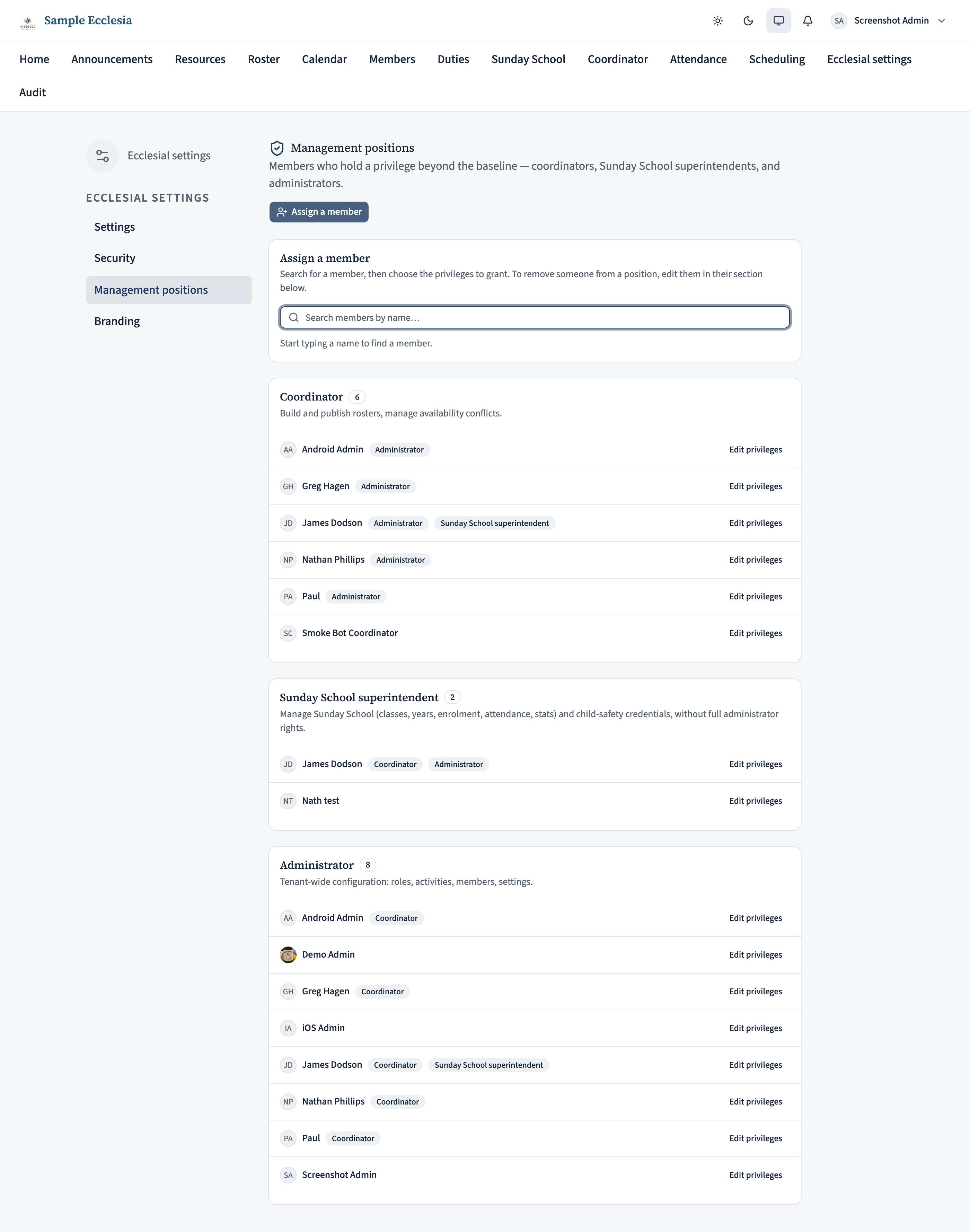
Find the person under any of their positions and click Edit privileges. The same checkboxes appear. Untick a position to take it away; tick another to add it. Saving replaces their set with exactly what’s ticked.
To remove someone from management entirely, untick everything except member. They keep their ordinary access and simply drop off this page.

On the iPhone app
Grant coordinator, administrator, or superintendent from the app.
Manage → Management positions has a Choose a person assigner and a People with positions list (each with Administrator / Coordinator chips).
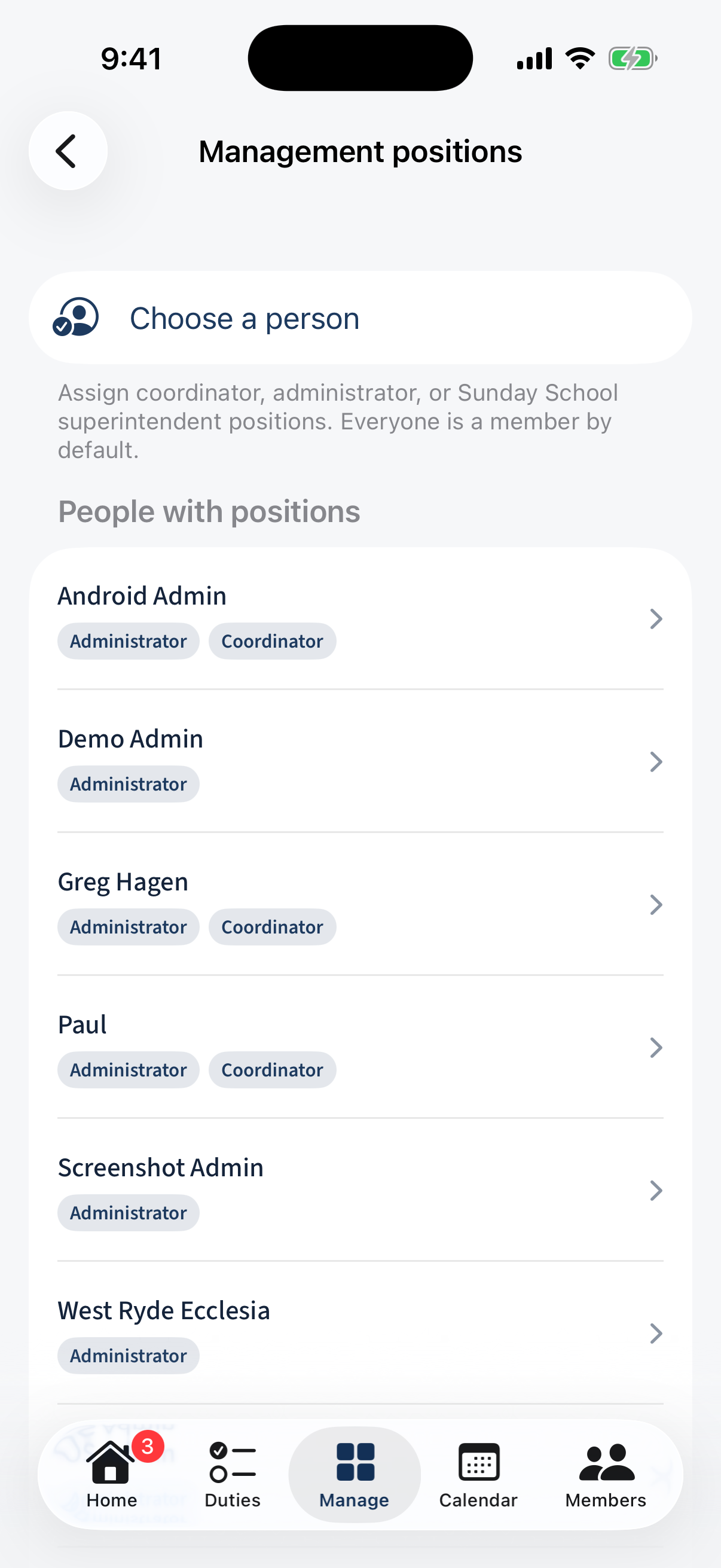
Manage → Management positions: a Choose a person assigner and a People with positions list. Tap a person for a Positions for <name> sheet with Coordinator, Administrator, and Sunday School superintendent checkboxes.
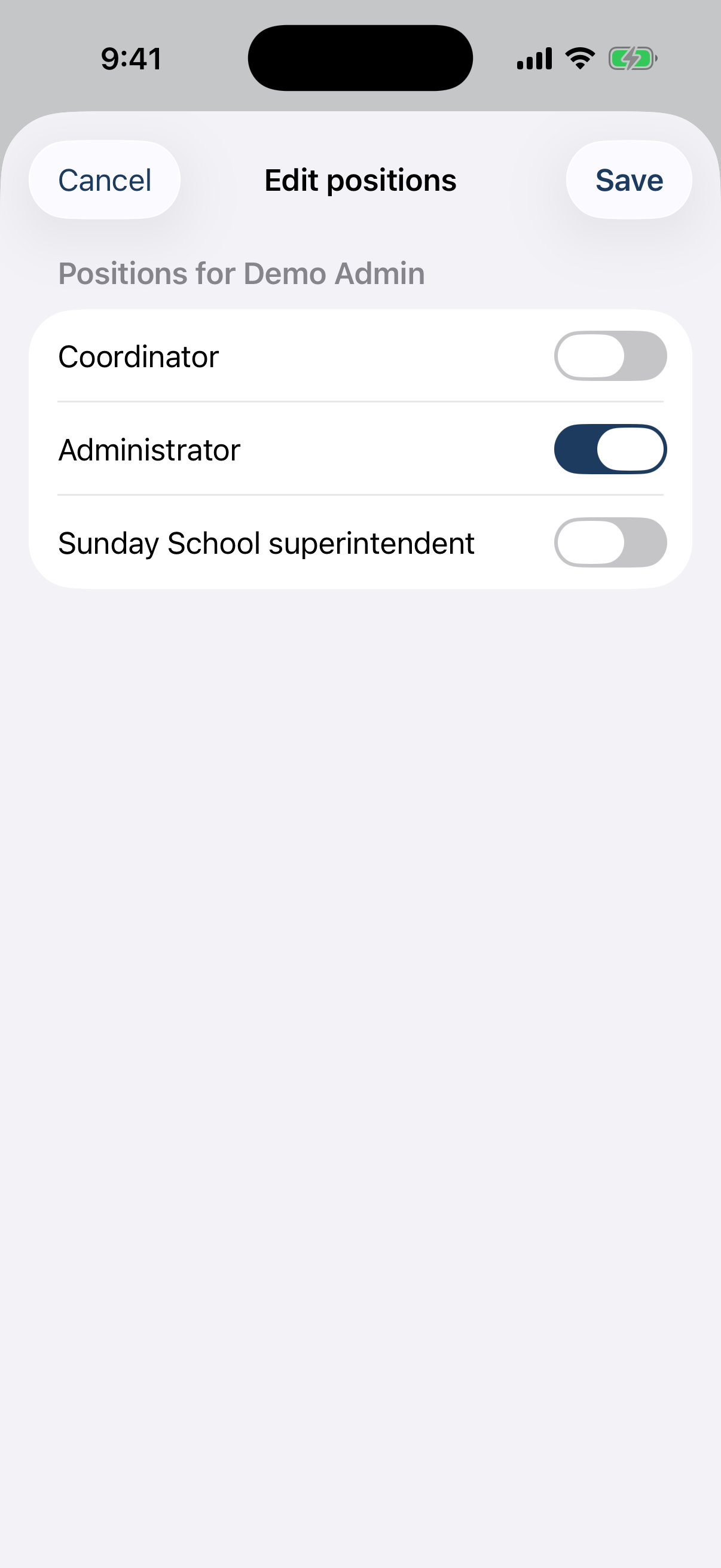
The “Positions for <name>” sheet with Coordinator / Administrator / Sunday School superintendent checkboxes.
A few cautions
- Don’t strand the ecclesia without an administrator. At least one person must keep administrator rights — they’re the only ones who can manage this page. If you’re about to remove your own administrator privilege, make sure someone else has it first.
- Positions follow the person, not a device. Granting a position takes effect the next time they load the app; they’ll see the new areas in their navigation.
- Prefer the narrowest position that fits. Someone who only runs Sunday School should be a superintendent, not an administrator — it gives them exactly what they need and nothing they don’t.