Colour-coding and ordering the calendar
A busy calendar is hard to read. Colours let you tell your meeting types apart at a glance, and pinning lets you float the thing everyone is asking about to the top of the list.
Both are coordinator and administrator tools. What you set is shared — every member sees the same colours, and your whole coordinator team sees the same order.
Reading time: about three minutes.
Colour a whole activity
The useful place to set a colour is the activity template — the thing that generates your recurring meetings. Colour the Memorial Meeting once and every occurrence of it picks that colour up.
Open the template and choose from the palette, or set a custom colour if your ecclesia has its own convention. The palette colours are chosen to stay legible in both light and dark themes, which a hand-picked colour may not.

Override a single occurrence
A one-off meeting — a special evening, a visiting speaker — can carry its own colour. Open the occurrence and set it there; that colour wins over the template’s.
The field shows you the colour it would otherwise inherit, so you can see what you are overriding. Clearing the override hands it back to the template, rather than leaving the occurrence colourless.

What members see
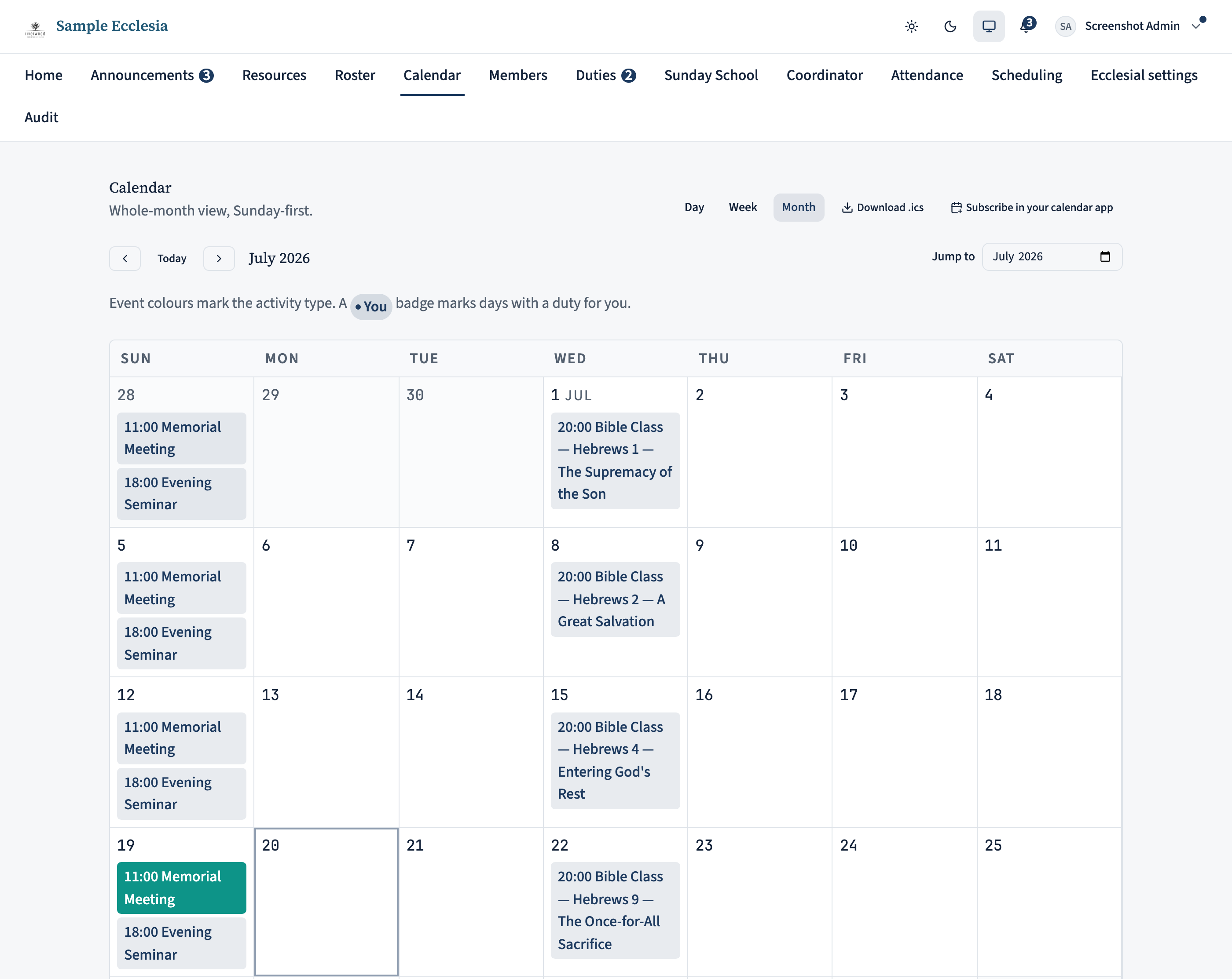
On the calendar each meeting is drawn in its colour, so the shape of the month reads at a glance. A badge marks any day the viewer personally has a duty — that is per-person, so everyone sees their own.
A legend appears underneath, and it adapts: it only lists what is actually on screen, so it does not clutter a month with entries for things that are not there.
Pin what matters to the top
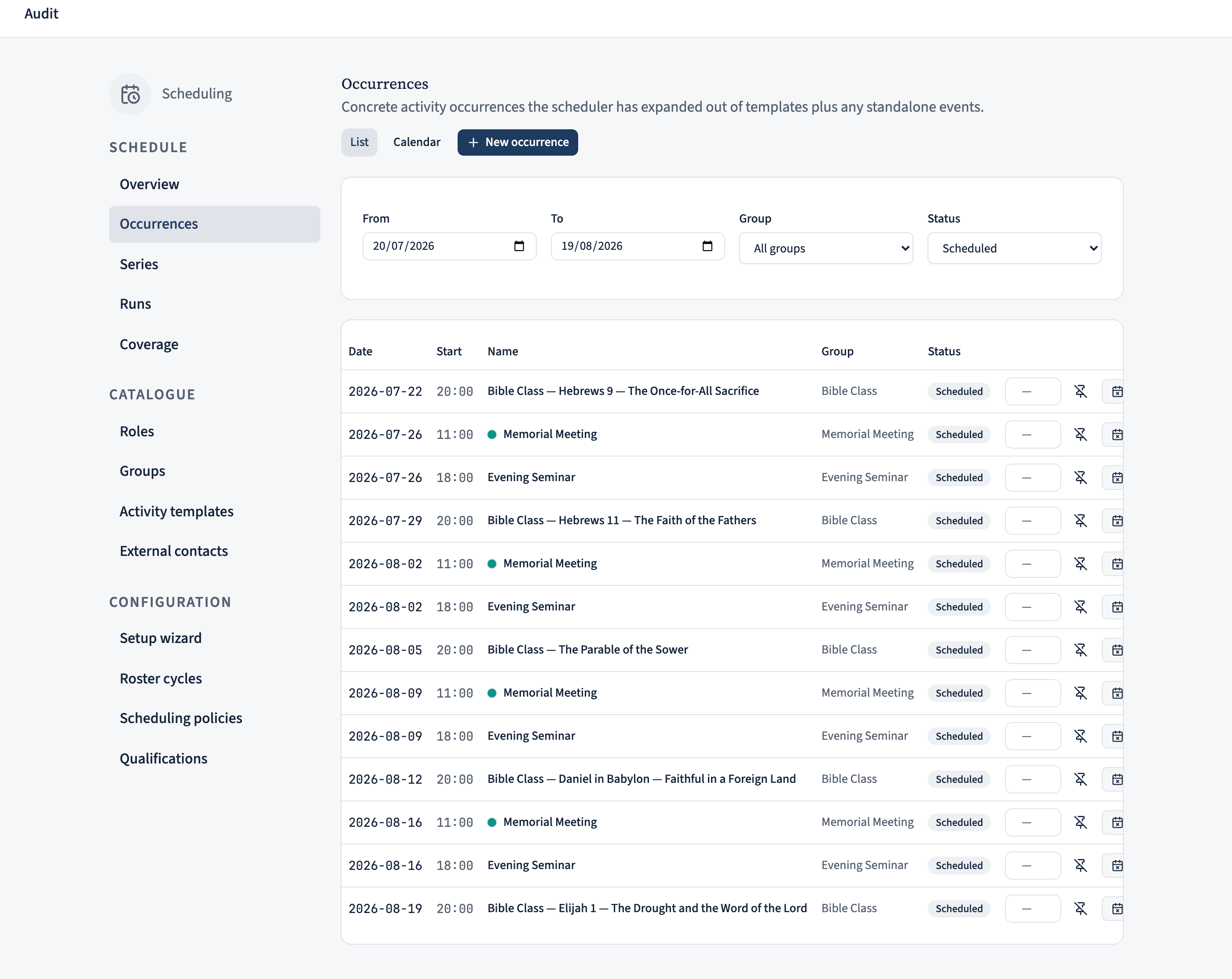
On the Occurrences list, each row has a pin. Pinning floats that meeting to the top of the view, which is what you want when one event is the current focus.
Pinning is shared across your coordinator team, not personal — so it is a way of saying “look at this one” to your colleagues, and worth unpinning once the moment has passed. A pin marker shows on the row so everyone can see it was deliberate.
Set your own order
Beside the pin is an order box. Give occurrences a number and they sort by it; leave it blank and they stay in date order, which is the sensible default most of the time.
The full sort is: pinned items first, then anything with a manual order, then everything else by date. So you can pin one meeting and hand-order a small group beneath it without having to number the whole list.