Safety credentials: working-with-children checks
Safety credentials are the working-with-children checks (WWCC) your ecclesia tracks. The catalogue defines the check types — one per state — and the individual records members hold reference it, so the Sunday School compliance view can tell you who is valid, expiring, or expired. Maintaining the catalogue is for administrators.
Reading time: about two minutes.
The credential-type catalogue
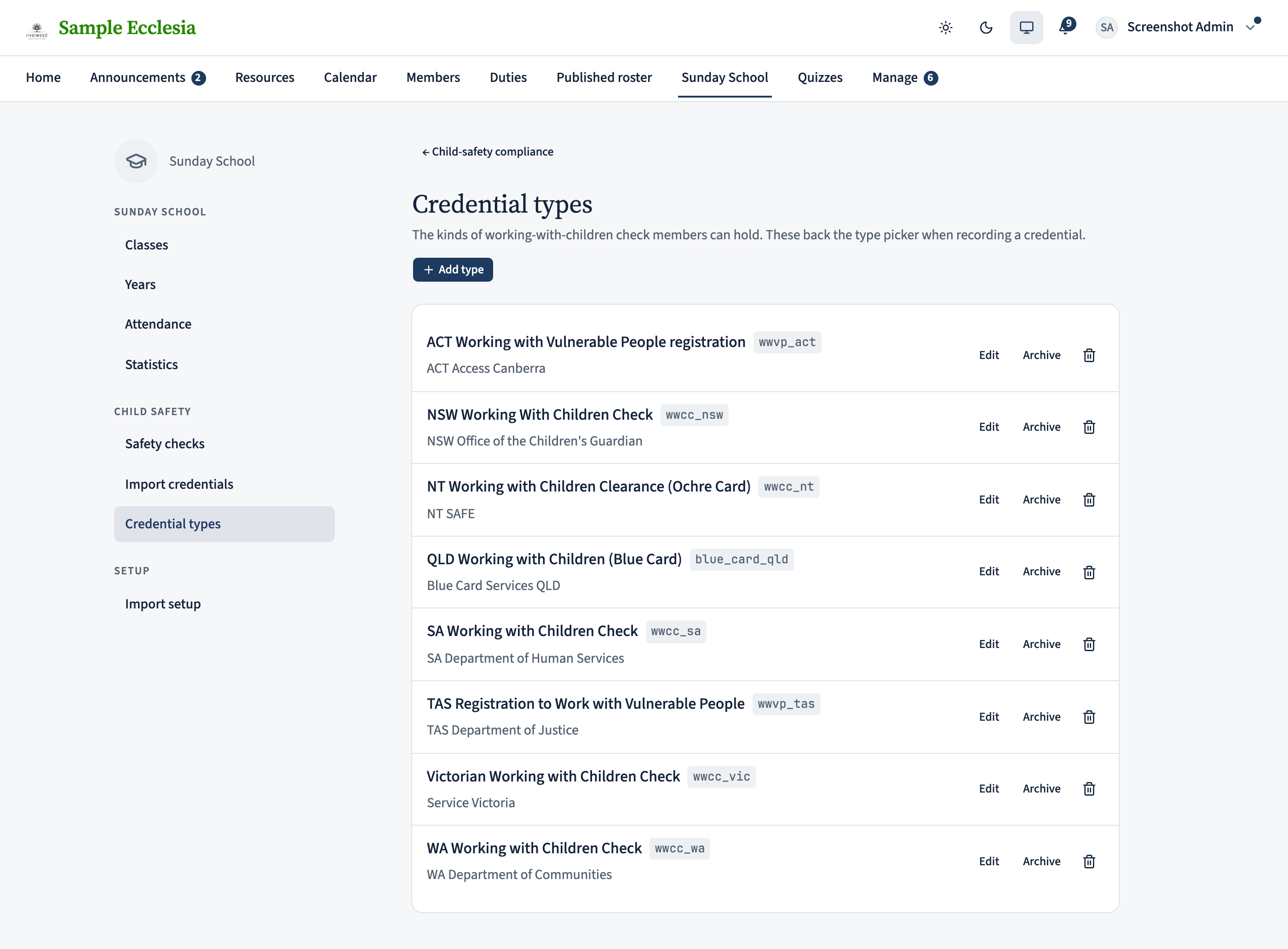
On the web the catalogue lives under Sunday School → Credential types. It lists the working-with-children check types by state — ACT, NSW, NT, QLD, SA, TAS, VIC, WA. These are the types a member’s individual WWCC record is recorded against, and what the Sunday School compliance tabs (Valid / Expiring / Expired) count.
On the iPhone app
View the catalogue from the app's admin Manage hub.
Manage → Safety credentials shows the working-with-children check-type catalogue by state (ACT / NSW / NT / QLD / SA / TAS / VIC / WA).
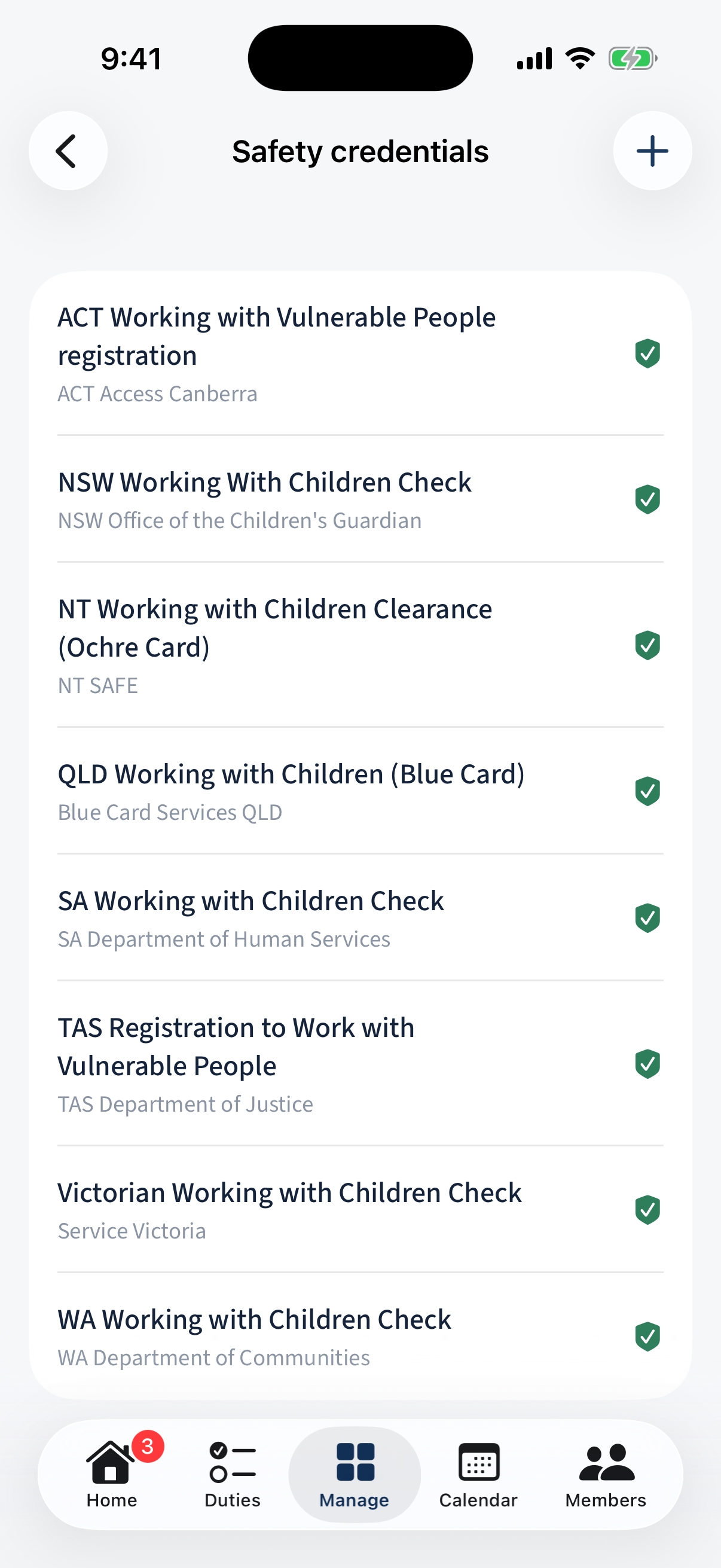
Manage → Safety credentials: the working-with-children check types by state.
Different on the app: On the web this lives under Sunday School → Credential types; in the app it's an admin row in the Manage hub.