Qualifications: the eligibility catalogue
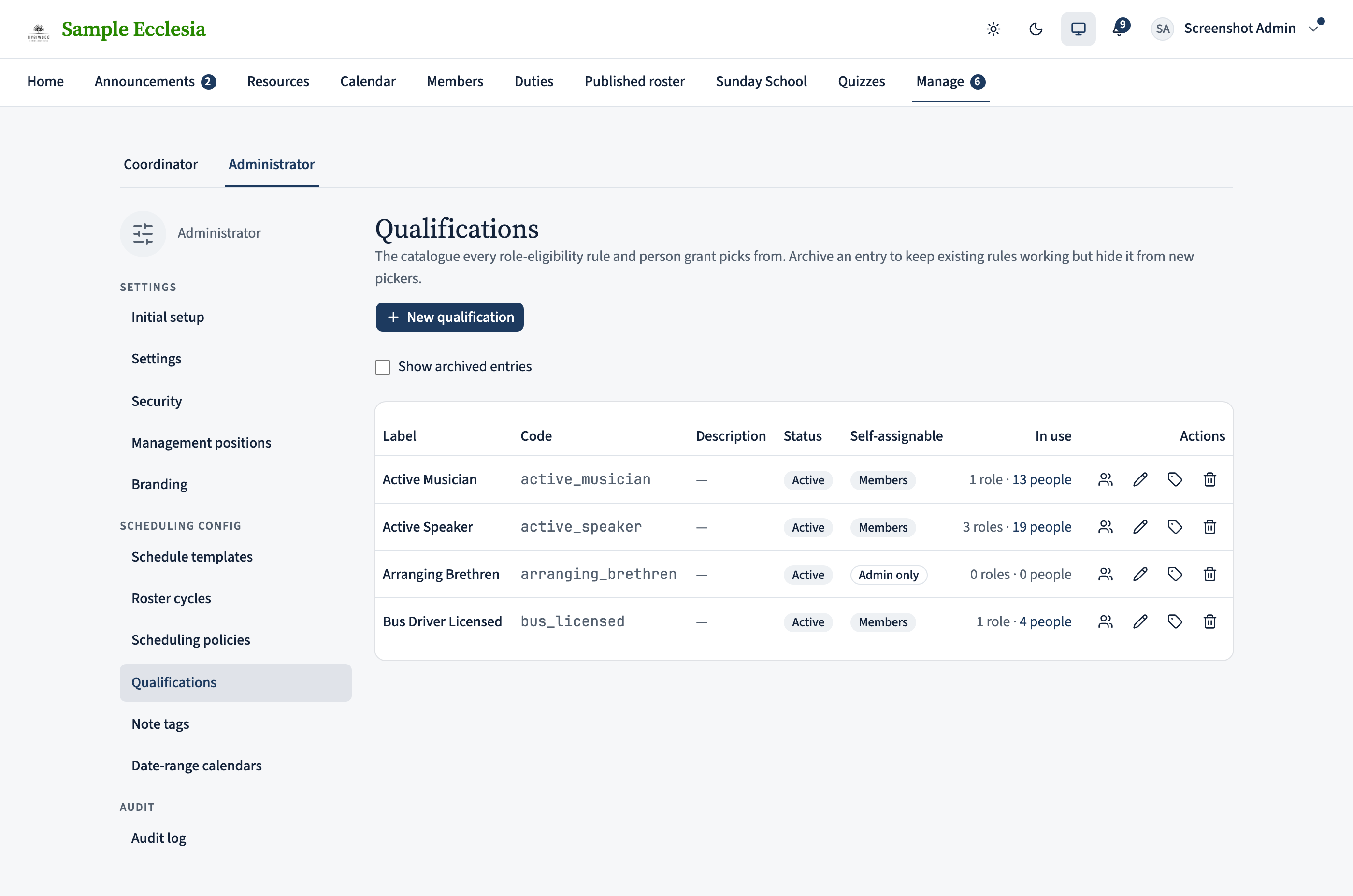
A qualification is a named badge a member can hold — Active speaker, Bus driver licensed, Arranging brethren. The qualifications catalogue is the single list of these codes; both a role’s eligibility rules and per-person grants reference it, so the scheduler knows who may be picked for what. Managing the catalogue is for administrators.
Reading time: about two minutes.
Open the catalogue
On the web the catalogue lives under Manage → Qualifications. Each row is a code and a readable label, whether it’s self-assignable (a member can claim it themselves), and how many roles and people reference it. Add a code with a short lowercase key (e.g. “active_speaker”) and a label; archive one you no longer use rather than deleting it, so existing rules and grants keep resolving.
A code earns its keep in two places: a role’s eligibility rule can require it (“must hold Bus driver licensed”), and you can grant it to individual members. Both are driven by this one list.
On the iPhone app
View the catalogue from the app's admin Manage hub.
Manage → Qualifications shows the catalogue (Active Musician, Active Speaker, Arranging Brethren, Bus Driver Licensed…), some marked Self-assign. These feed the role Eligibility builder.
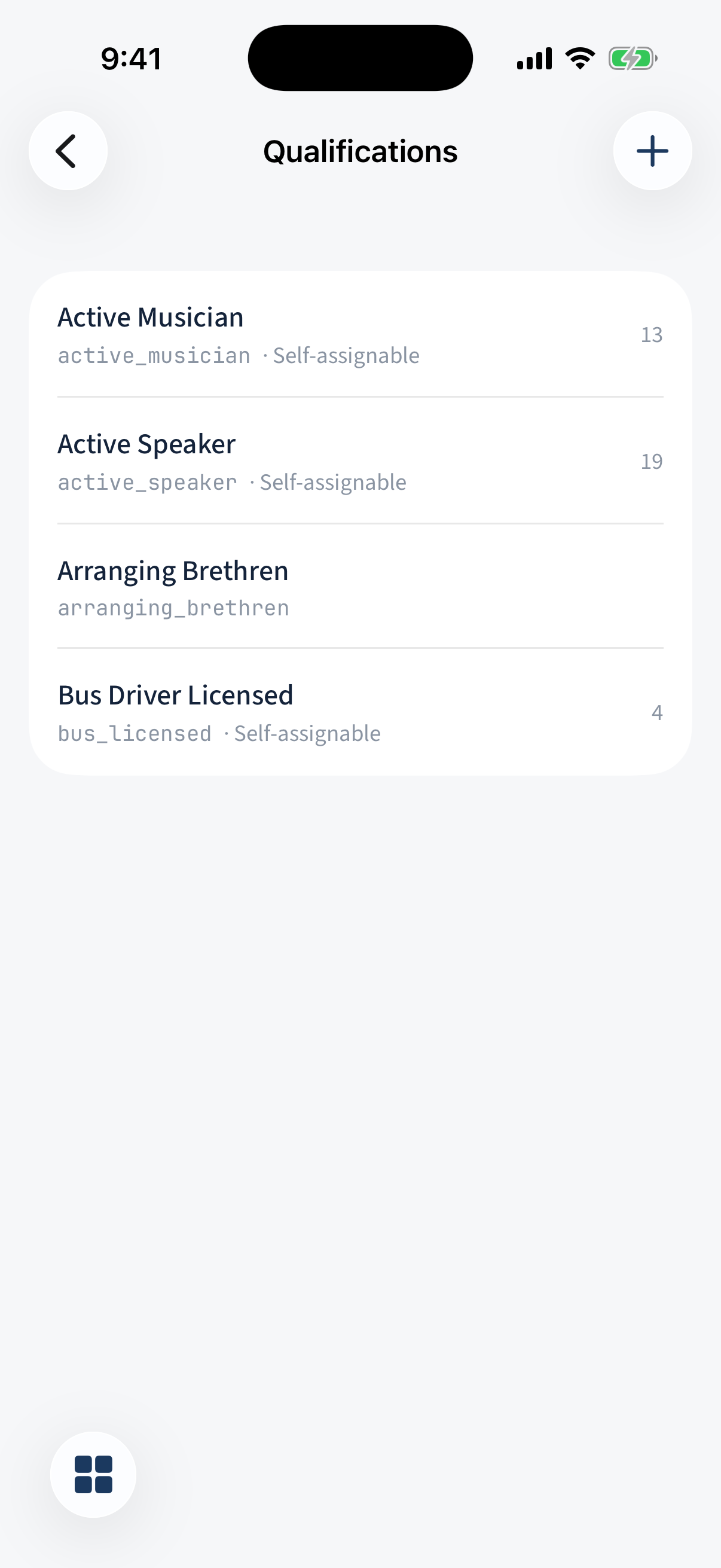
Manage → Qualifications: the catalogue, with some entries marked Self-assign.