Service plans: the order of service CDSlides builds from
A service plan is the order of service for a meeting — the hymns, the readings, the prayers, the exhortation, the notices, in the order they happen. It’s the sheet that usually lives in a spreadsheet or a Word document and gets re-typed every week.
In CDRoster you set it up once as a template for a recurring event, and every meeting of that event starts from it. The presider or coordinator then fills in the week’s detail — which hymns, which reading, who’s exhorting. CDSlides reads the finished plan to build the screen presentation, so the order you enter here is the order that appears on the screen.
Reading time: about five minutes.
Before you start
Service plans are an opt-in feature. An administrator turns them on under Manage › Settings (the Service plans toggle). Until then you won’t see any of the cards below. Once it’s on, your ecclesia gets a starter songbook (the Christadelphian Hymn Book) automatically — administrators can add more under Manage › Songbooks.
Open the default order of service
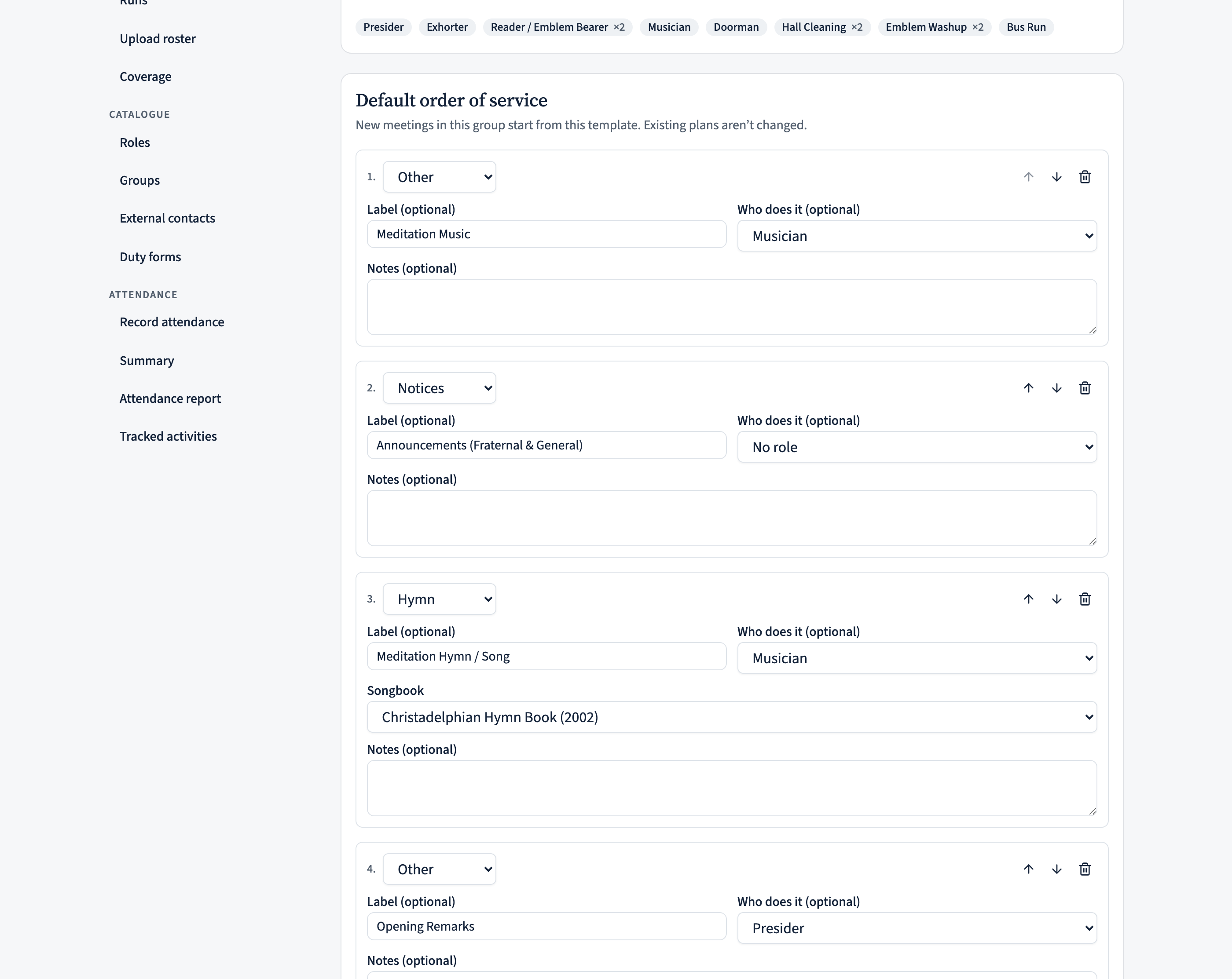
Go to Manage › Recurring events and open the event you want to plan — for most ecclesias that’s the Memorial Meeting. Scroll down to the Default order of service card.
This is the template: the shape a typical meeting of this event takes. It applies to every meeting in this scheduling group, and new meetings start from it. Existing plans you’ve already filled in are never overwritten when you change the template.
Build the order a slot at a time
Each line in your order of service is a slot. To add one, pick a type from the dropdown at the bottom and choose Add slot. Each slot has:
- A type — Hymn, Reading, Prayer, Exhortation, Lecture, Emblems, Collection, Notices, Silence, or Other. The type decides what else the slot asks for (a hymn slot asks for a songbook; a reading slot asks for a source).
- An optional label — the wording you want on the sheet, like “Opening Hymn / Song” or “Ecclesial Prayer”. Leave it blank to use the plain type name.
- An optional who does it — the role responsible, such as Presider, Reader, or Exhorter. When a meeting is rostered, CDRoster fills in the actual person’s name for that slot.
- For a hymn slot, a songbook. (Numbers are left blank in the template — they’re chosen per meeting.)
- Optional notes — a standing reminder for whoever arranges the meeting.
Use the up and down arrows to reorder a slot, and the bin to remove one. When the order looks right, choose Save template.
Worked example: a Memorial Meeting order
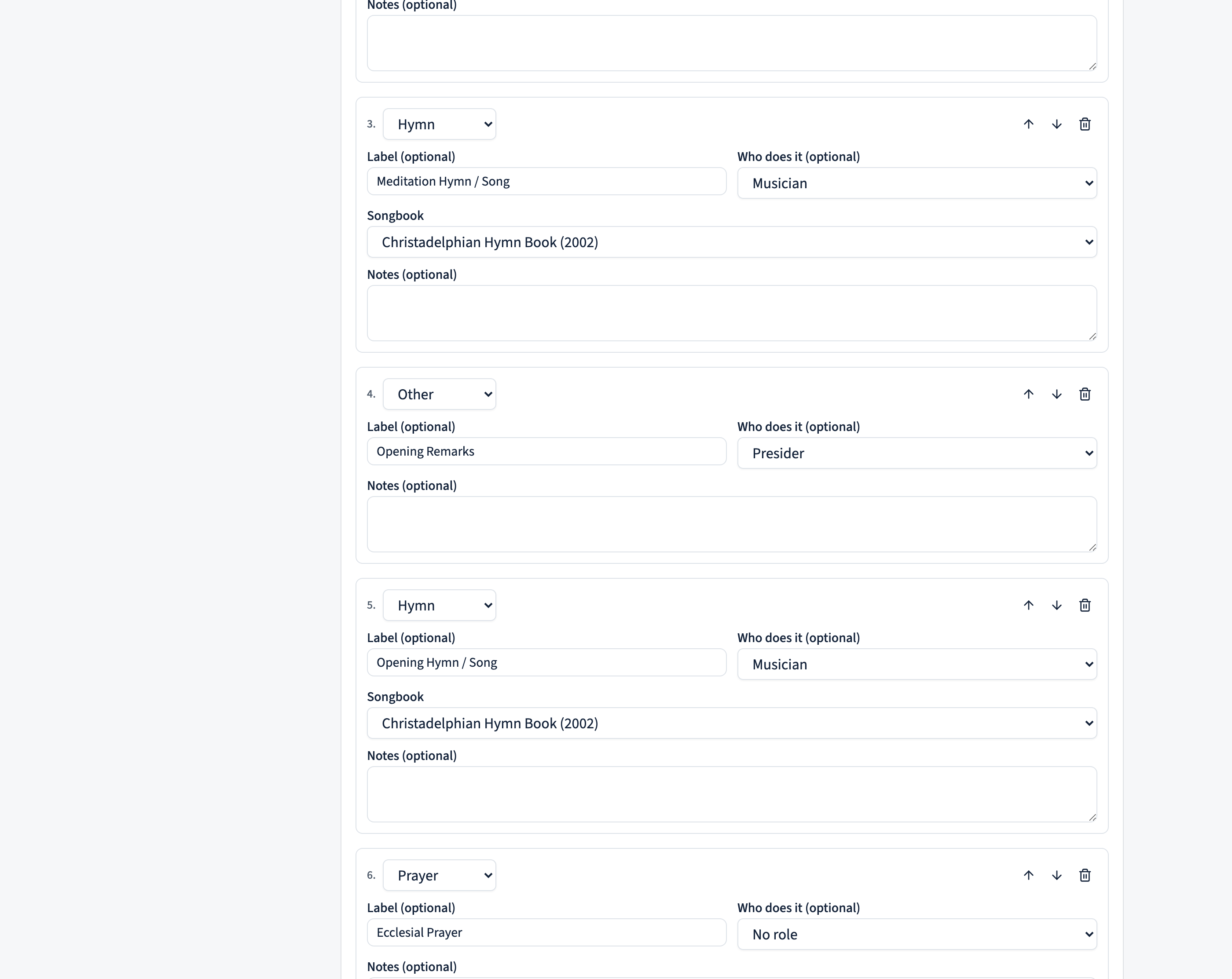
Here’s a typical Memorial Meeting order of service and how to enter it. Build the slots top to bottom — the left column is what you pick as the slot type, the middle is the label you type, and the right is who you’d usually assign under who does it.
| Slot type | Label | Who does it |
|---|---|---|
| Other | Meditation Music | — |
| Notices | Announcements (Fraternal & General) | Presider |
| Hymn | Meditation Hymn / Song | Musician |
| Other | Opening Remarks | Presider |
| Hymn | Opening Hymn / Song | Musician |
| Prayer | Ecclesial Prayer | Presider |
| Reading | Reading | Reader / Emblem Bearer |
| Hymn | Hymn / Song | Musician |
| Exhortation | Exhort | Exhorter |
| Emblems | Emblems | Reader / Emblem Bearer |
| Hymn | Closing Hymn / Song | Musician |
| Prayer | Closing Prayer | Presider |
| Other | Meditation Music | — |
The label is where your own wording lives — CDRoster doesn’t force “Hymn” onto a line you call “Meditation Hymn / Song”. Picking Hymn as the type is what makes the slot ask for a songbook and a number; the label is just what’s printed.
Set it up once, reuse it anywhere. The card’s Export saves the order to a file, and Import loads one into another group or ecclesia — roles and songbooks match up by their codes, so a template built on one tenant drops cleanly onto another.
Plan an individual meeting
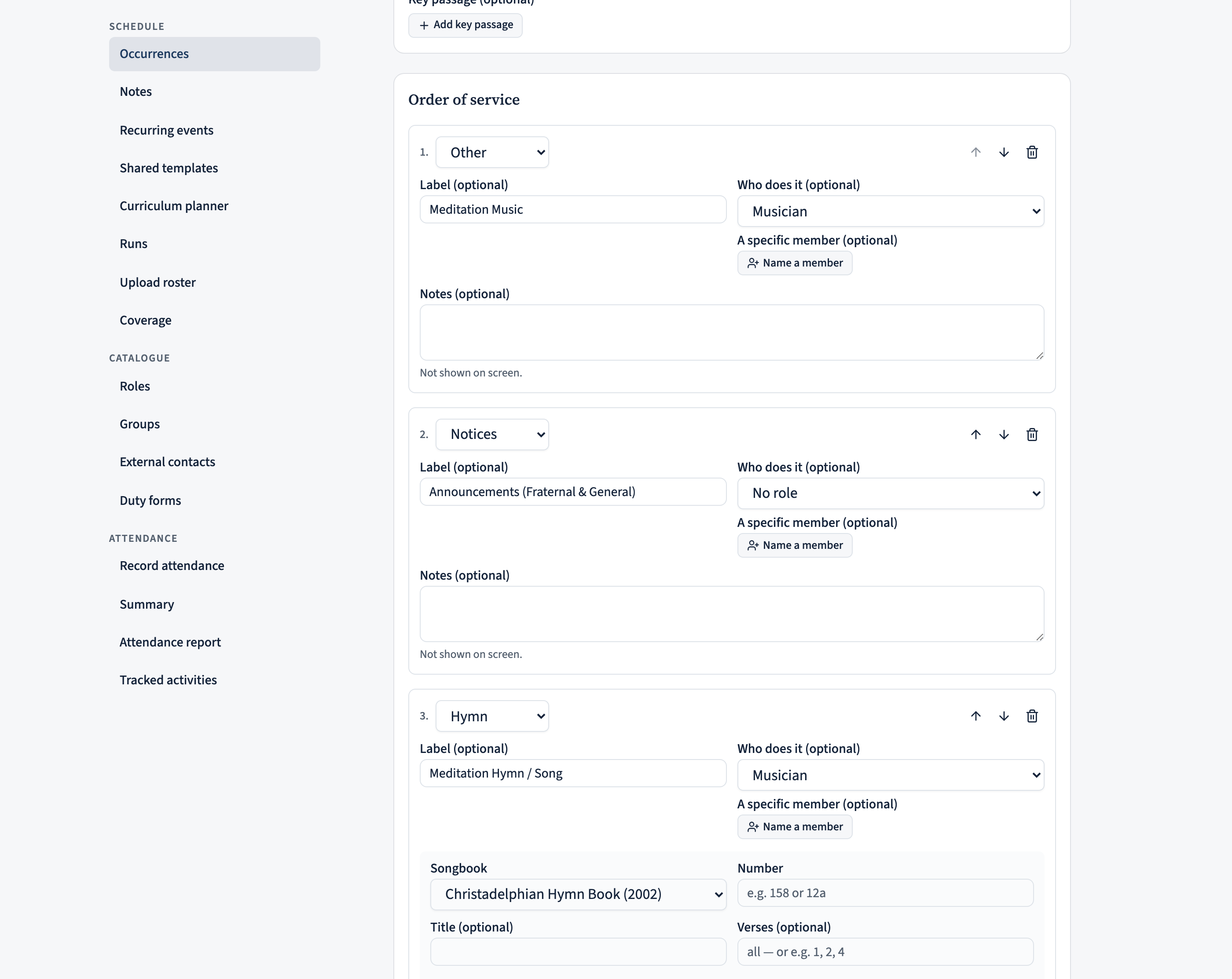
The template gives every meeting its shape; the weekly detail goes on the meeting itself. Open an occurrence (from the Calendar or the Occurrences list) and open its Service plan. It’s already laid out from the template, so you only fill in what changes week to week:
- A topic for the meeting, if you use one.
- Hymn numbers (and verses, if you want only some) against each hymn slot.
- The reading — type it in plain words (“Gen 1”, “John 3:16”) and CDRoster recognises the passage.
- Who does it — a role fills itself from the roster, but you can also name a specific member for an item that isn’t a rostered duty (e.g. “Ecclesial Prayer — Bro. Smith”). Use Name a member on the item; role and member can both be set.
- Anything else that’s specific to the week.
Choose Save plan when you’re done. You can Reset to template at any time to start the meeting’s plan fresh from the group’s default order, and Download PDF to print or share the order of service (anyone rostered can do this, not just the editor).
Decide who can edit a plan
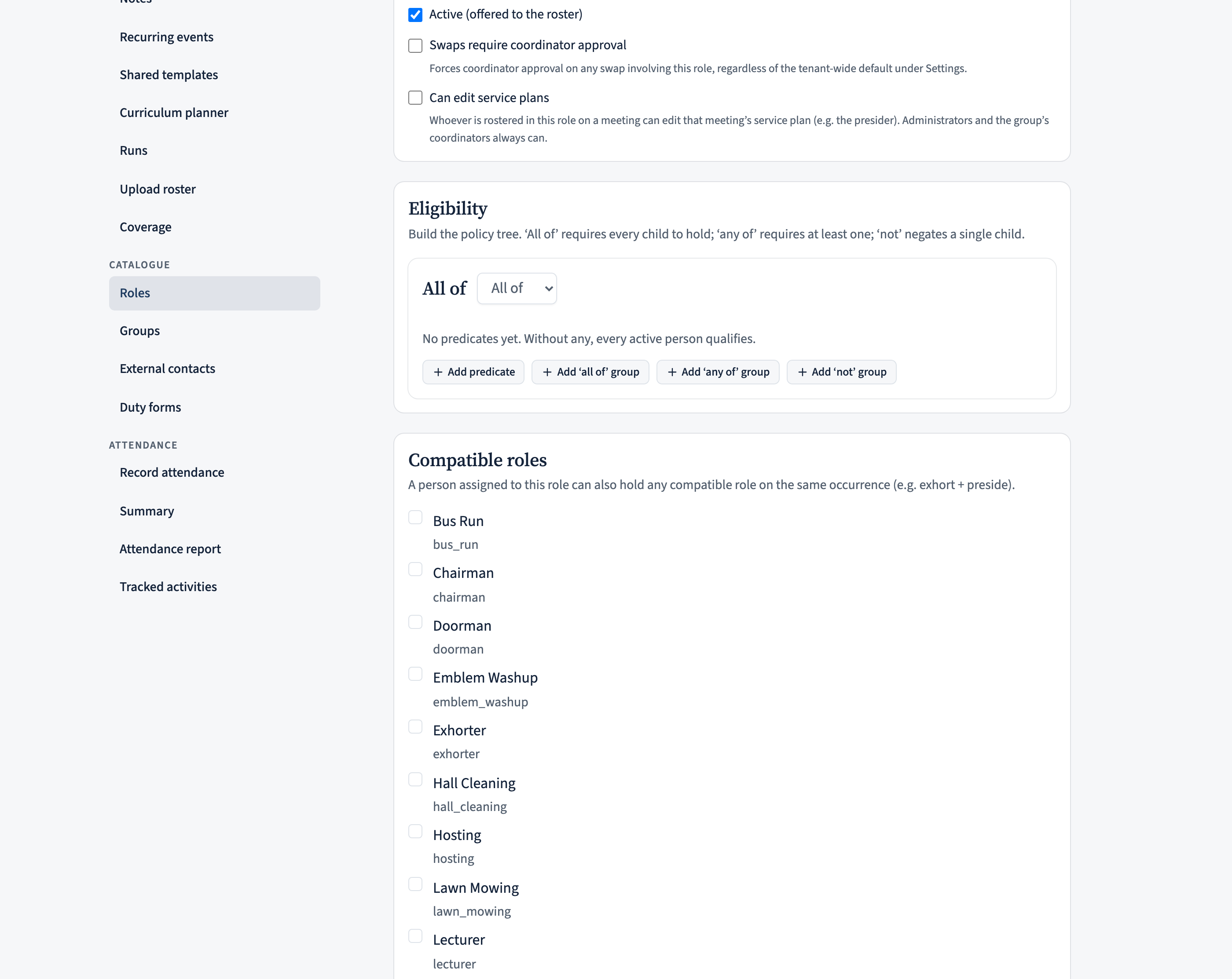
Coordinators and administrators can always edit the template and the meeting plans. To let the person actually doing the job edit the plan — typically the week’s presider — an administrator turns on Can edit service plans on that role (under Manage › Roles).
Then, whoever is rostered to that role on a given meeting can open and edit that meeting’s plan — and they’ll see a “Services to plan” card on their home page listing the meetings waiting on them, so nothing is forgotten.
Everyone sees it on the day
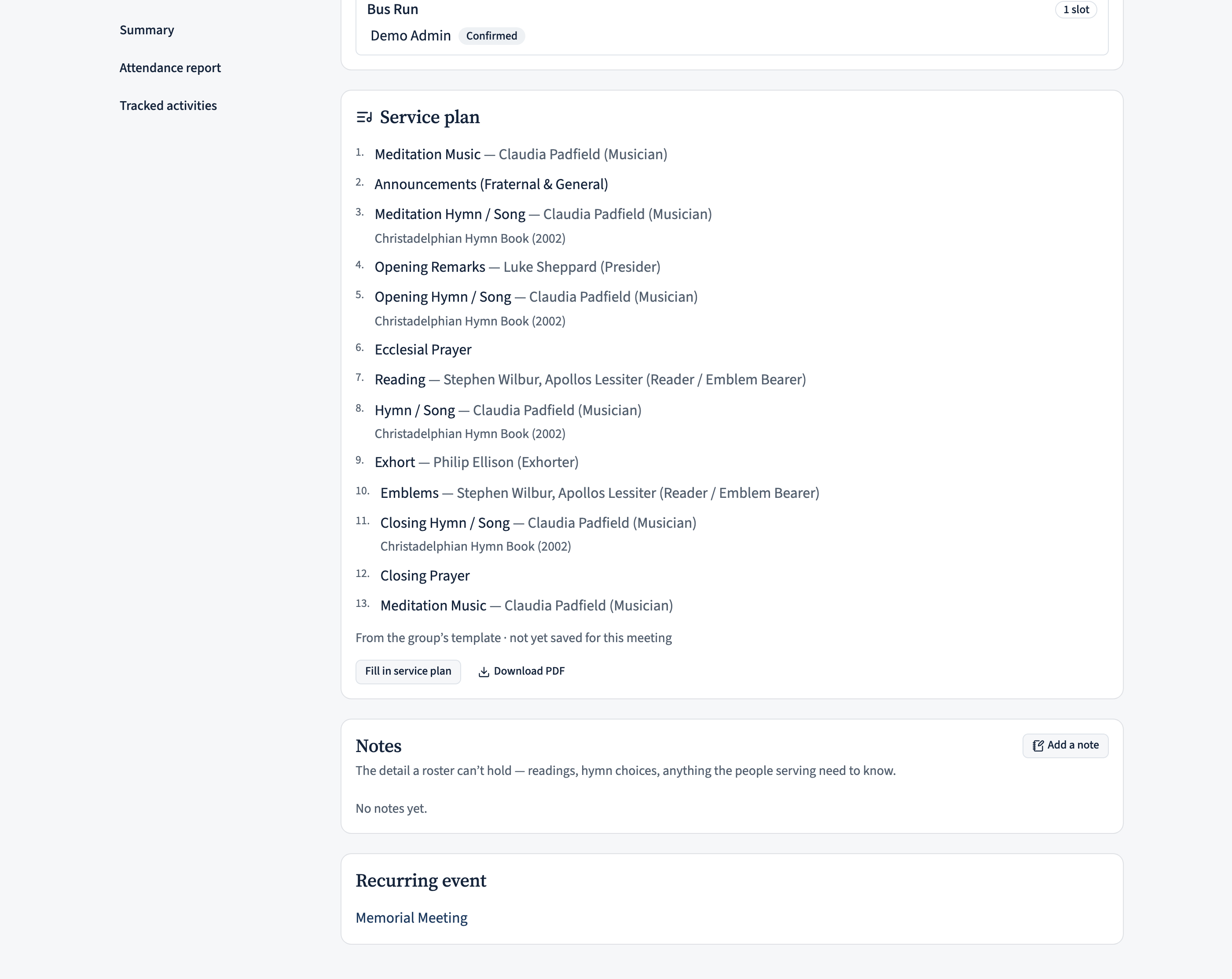
On the meeting’s own page, the Service plan card shows the whole order of service — resolved to the rostered people — for anyone who can see the occasion. No edit rights needed, and there’s a Download PDF button right there, so the doorman, the readers, and the organist can all check (and print) the order.
Good to know
- Template vs. meeting. The Default order of service is the reusable shape; a meeting’s Service plan is one week’s filled-in copy. Editing the template never rewrites meetings you’ve already planned.
- The template is shared by the whole scheduling group. If several recurring events share one group, they share the one default order.
- Roles connect to the roster. A slot’s who does it is resolved to the actual rostered person for that meeting, so the presenter and the screen name the right brother or sister automatically.
- CDSlides reads the finished plan. The order, the hymns, the reading and the roles you enter here are exactly what the presentation is built from — so it’s worth getting the template to match your usual order once, then it’s a quick weekly fill-in after that.