Child safety (WWCC)
CDRoster keeps working-with-children checks (WWCC / Blue Card / vulnerable-people registrations) and the online child-safety training current for everyone in a child-facing role. Members record their own; coordinators track and verify them; and the roster won’t place anyone whose check has lapsed.
This is the overview. For the full step-by-step, see Your child-safety checks and training (members) and Child-safety officer: intake, training, and compliance (coordinators).
Record your own check (any member)
On your own child-safety checks page, a “What you need” checklist appears when a role you hold requires a check or the online training. Use Submit or renew to add a check — pick the type, enter the number and expiry, choose a purpose, and type your name in the declaration — or Record my completion for the training (dates only, no number). It’s filed as pending for a coordinator to verify.

Track compliance at a glance
The compliance dashboard’s Register and By position tabs show who is current, expiring or missing — filter by status and verification, chase a member with Request a check, or bulk-load checks under Import credentials.

Verify a submitted check
From a member’s Child-safety credentials card, open a pending submission to record an outcome, attach a receipt, and verify it. Revealing or exporting the actual check number is behind a step-up elevation and is audited, so the sensitive digits only show when you deliberately ask.

Set up the check types (administrators)
Under Sunday School → Credential types, define each check (the state WWCCs and the online training) with its toggles — required for all Sunday School teachers, no reference number (training), and send expiry reminders. Mark the child-facing roles “Only people with a current child-safety check can be rostered” so the scheduler enforces it.

On the iPhone app
Child-safety checks work on the app too — members record their own, and coordinators track and verify them.
Recording your own check (any member). Open Profile → My child-safety checks. If a role you hold requires one, a “What you need” checklist shows whether you’re covered.
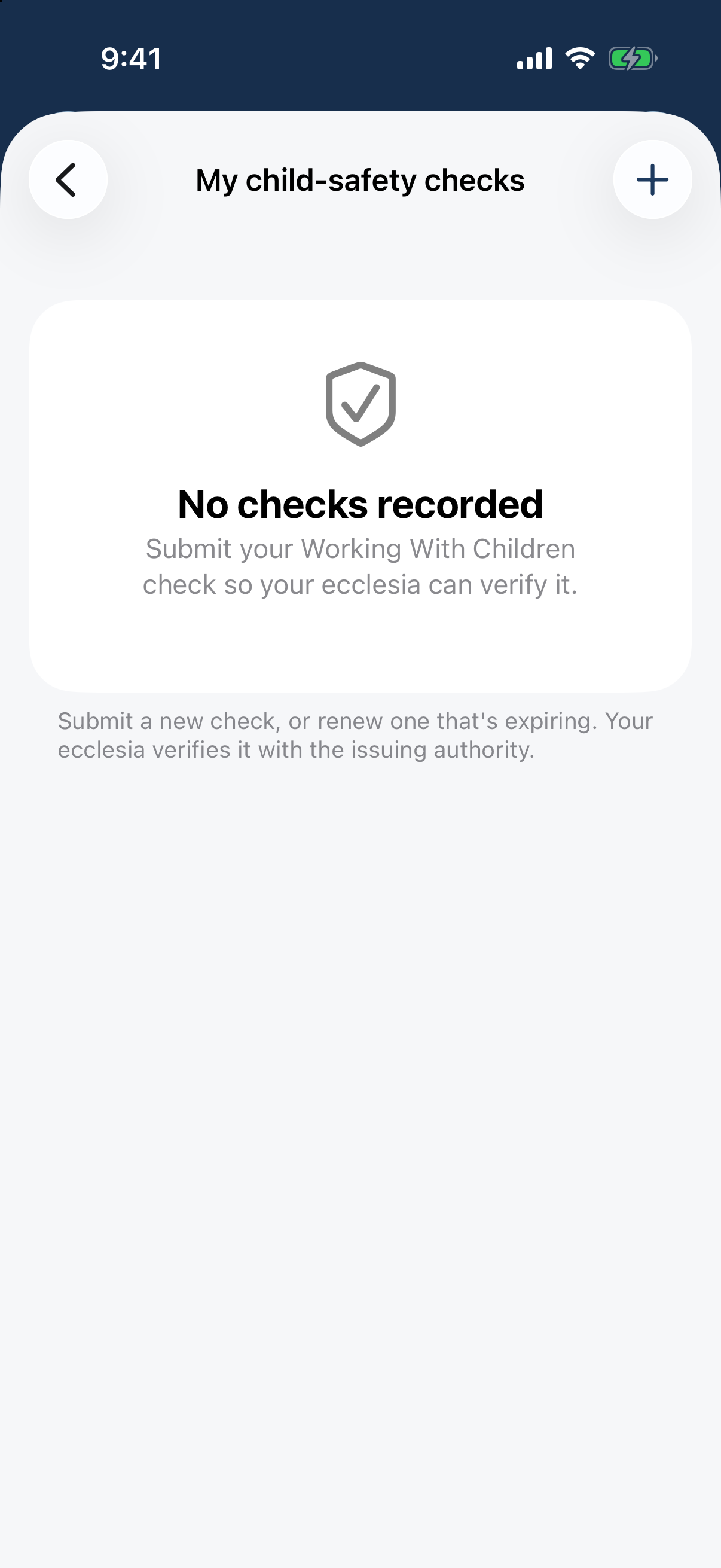
Profile → My child-safety checks: the "What you need" checklist and the checks on file. Tap + (or “Record my completion” on a checklist item), pick your state’s check in the Type picker, enter the number and expiry, choose what it’s held for, and type your name in the Declaration. Online training has no number — just the completion and expiry dates. Your ecclesia is notified to verify it; numbers are encrypted and masked, so other members never see them.
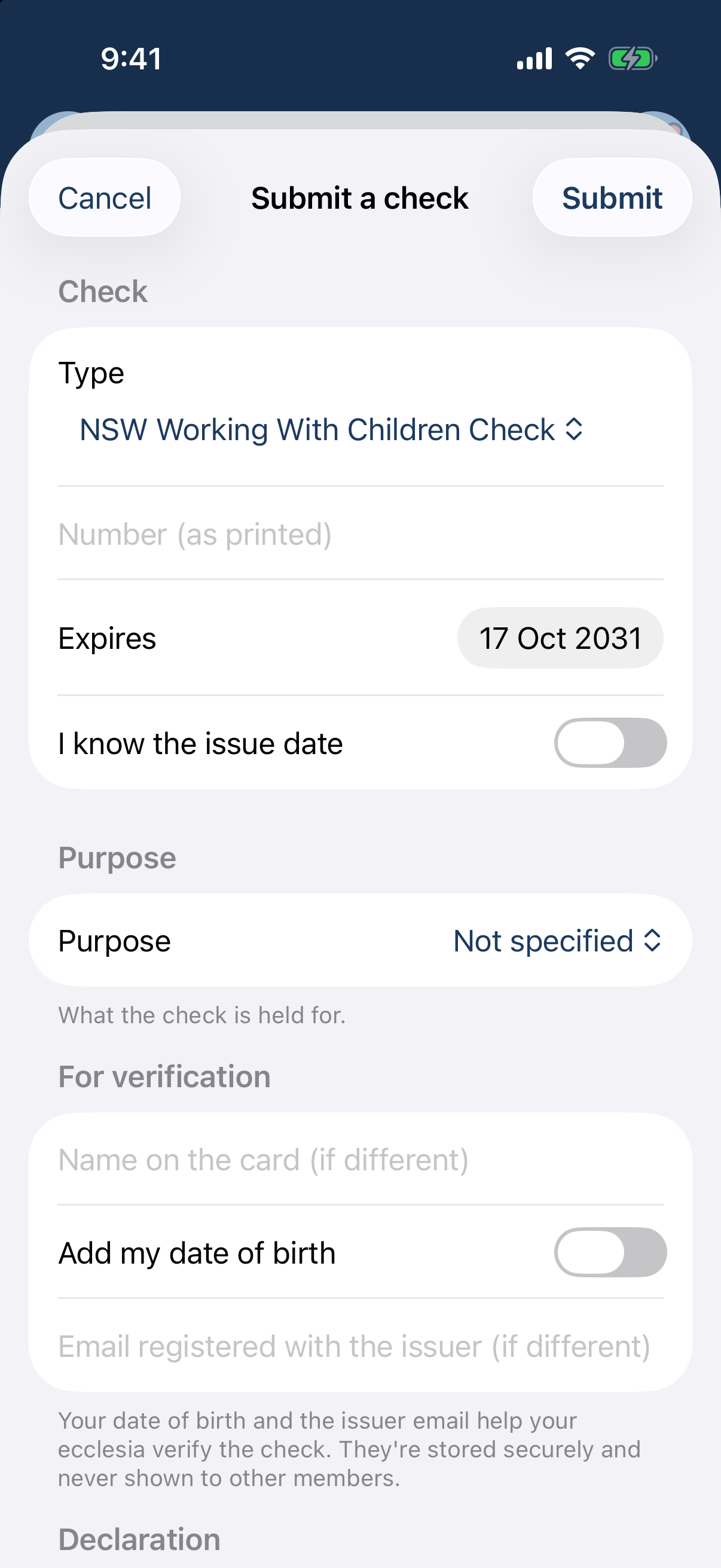
The submit-a-check sheet: type picker, card number, expiry, purpose, and a typed-name declaration. Tracking (coordinators / administrators). Go to Manage → WWCC compliance. The Overview tiles (valid, expiring soon, expired, unverified) sit above a list you filter by status, verification state and “expiring within 30/90 days” — your live compliance report.
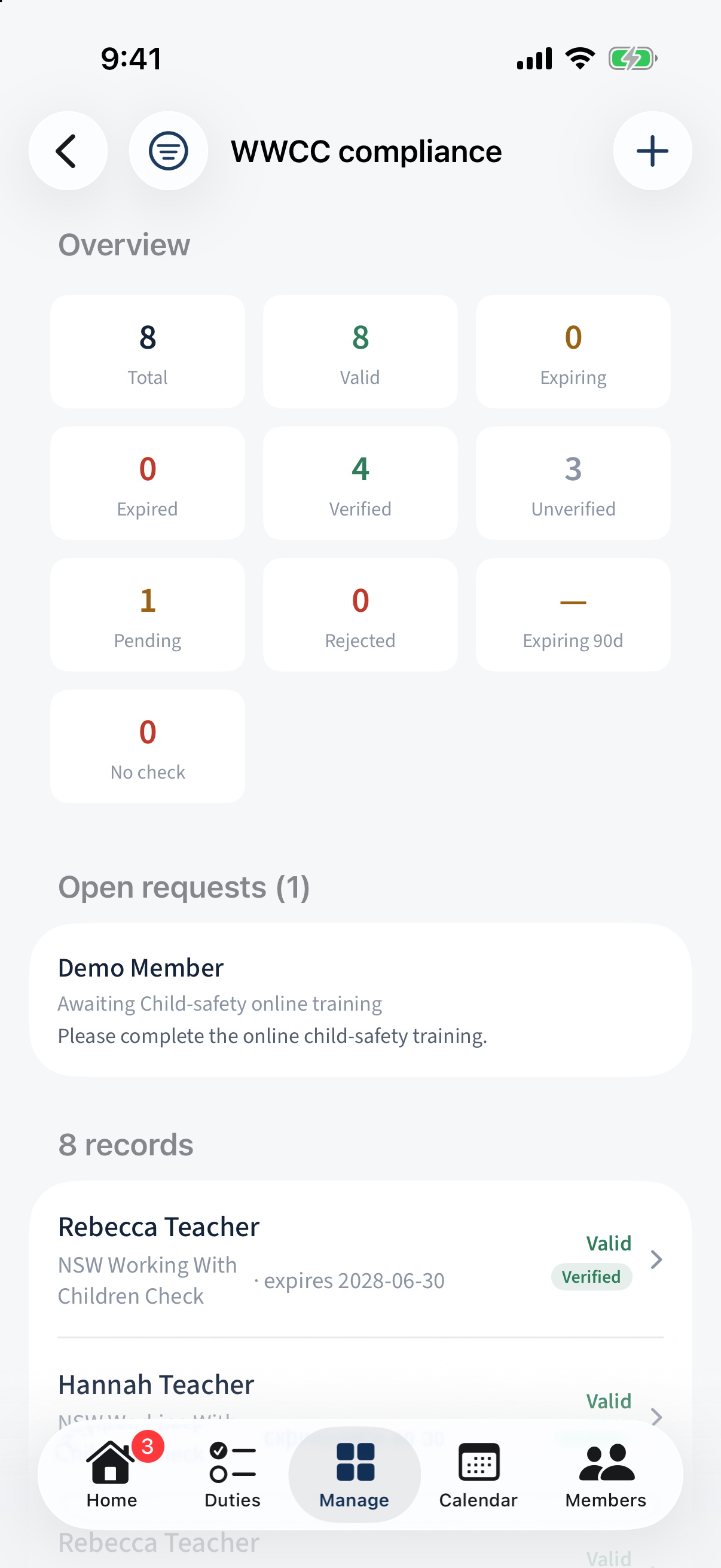
Manage → WWCC compliance: Overview tiles (valid / expiring / expired / unverified), filters and the records list. Tap a person to open their Child-safety credentials: Verify a submitted check (record the outcome, attach a receipt), Reveal the full number to compare against the register, or Request details from someone who hasn’t supplied theirs — or record one on their behalf with +. Revealing a number needs a recently re-confirmed (elevated) session, and every reveal is logged.
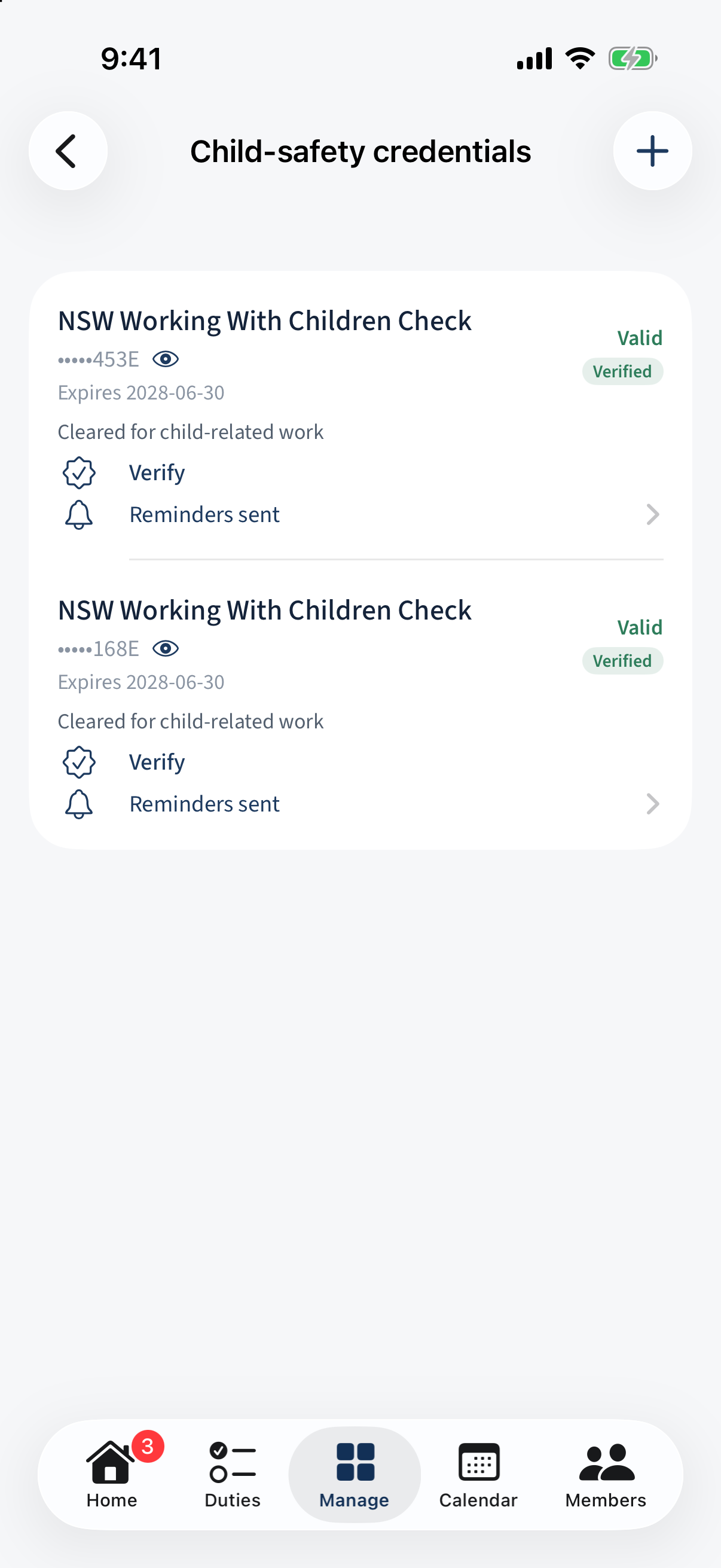
A person's Child-safety credentials: verify, reveal the number, or request details. Setting it up (administrators). The check types, the online-training type, and the “Required for Sunday School teachers” flag are configured in the credential-type editor. A roster role can be marked “Needs a current child-safety check” so people without one are skipped by the roster and blocked from manual placement.
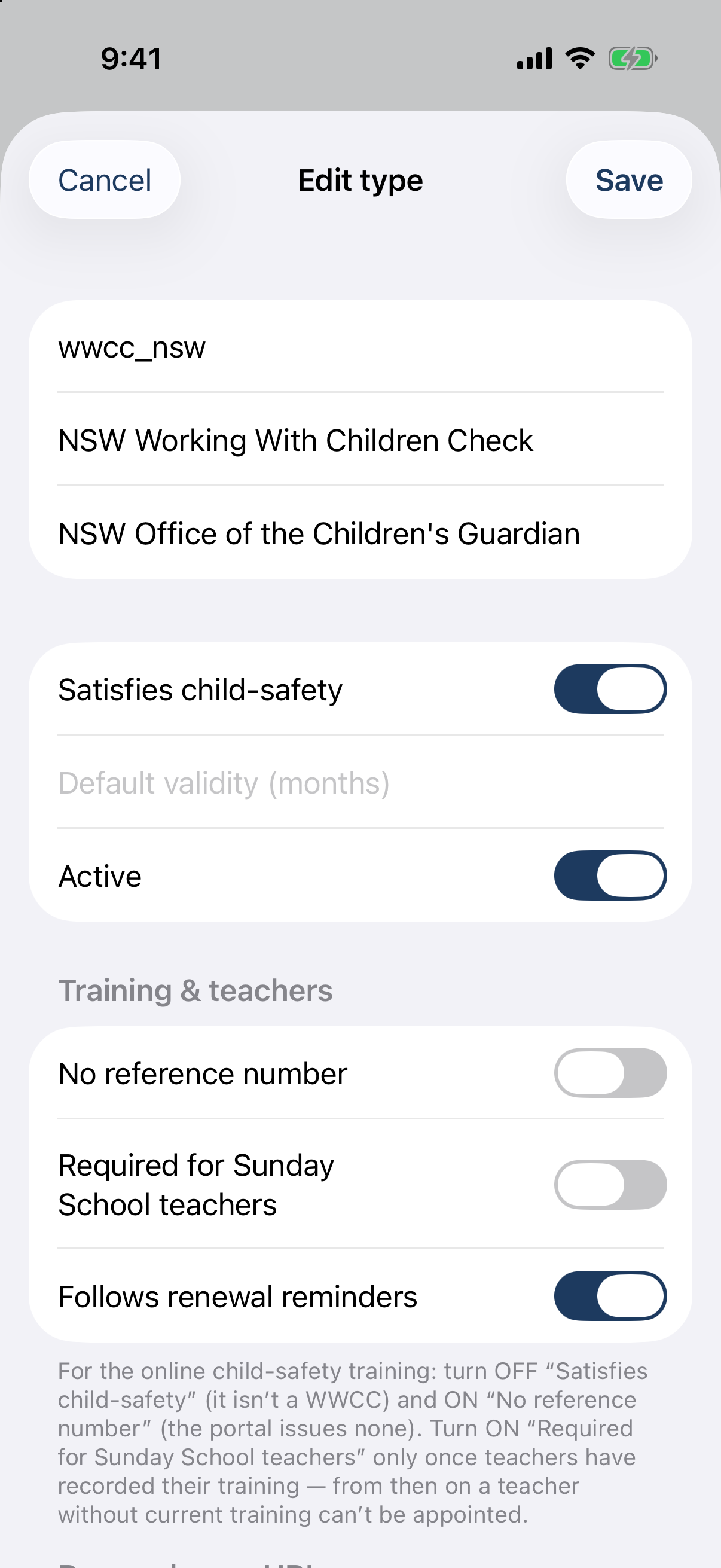
The credential-type editor: Satisfies child-safety, Active, No reference number (training), Required for Sunday School teachers.
Different on the app: Recording, tracking, verifying and setting up are all in the app — nothing here is web-only.